


Local SEO helps service-based businesses connect with nearby customers searching for immediate solutions. This guide outlines a 5-step checklist to boost your local visibility, ensuring you show up in search results when potential clients need your services. Here’s what you’ll learn:
- Optimize Your Google Business Profile: Claim, verify, and complete your profile with accurate details, photos, and service descriptions.
- Maintain Consistent NAP (Name, Address, Phone): Ensure your business information matches across all platforms to avoid confusion.
- Enhance Website for Local Search: Use location-specific keywords, schema markup, and service area pages to attract local traffic.
- Manage Customer Reviews: Collect, respond to, and track reviews to build trust and improve rankings.
- Monitor and Adjust Strategy: Regularly audit your efforts, track performance metrics, and update your approach based on data.
Local SEO is critical for businesses like plumbers, attorneys, and HVAC contractors to attract high-intent leads in competitive markets. Follow these steps to improve your online presence and drive more local customers to your business.
Step 1: Set Up and Optimize Your Google Business Profile
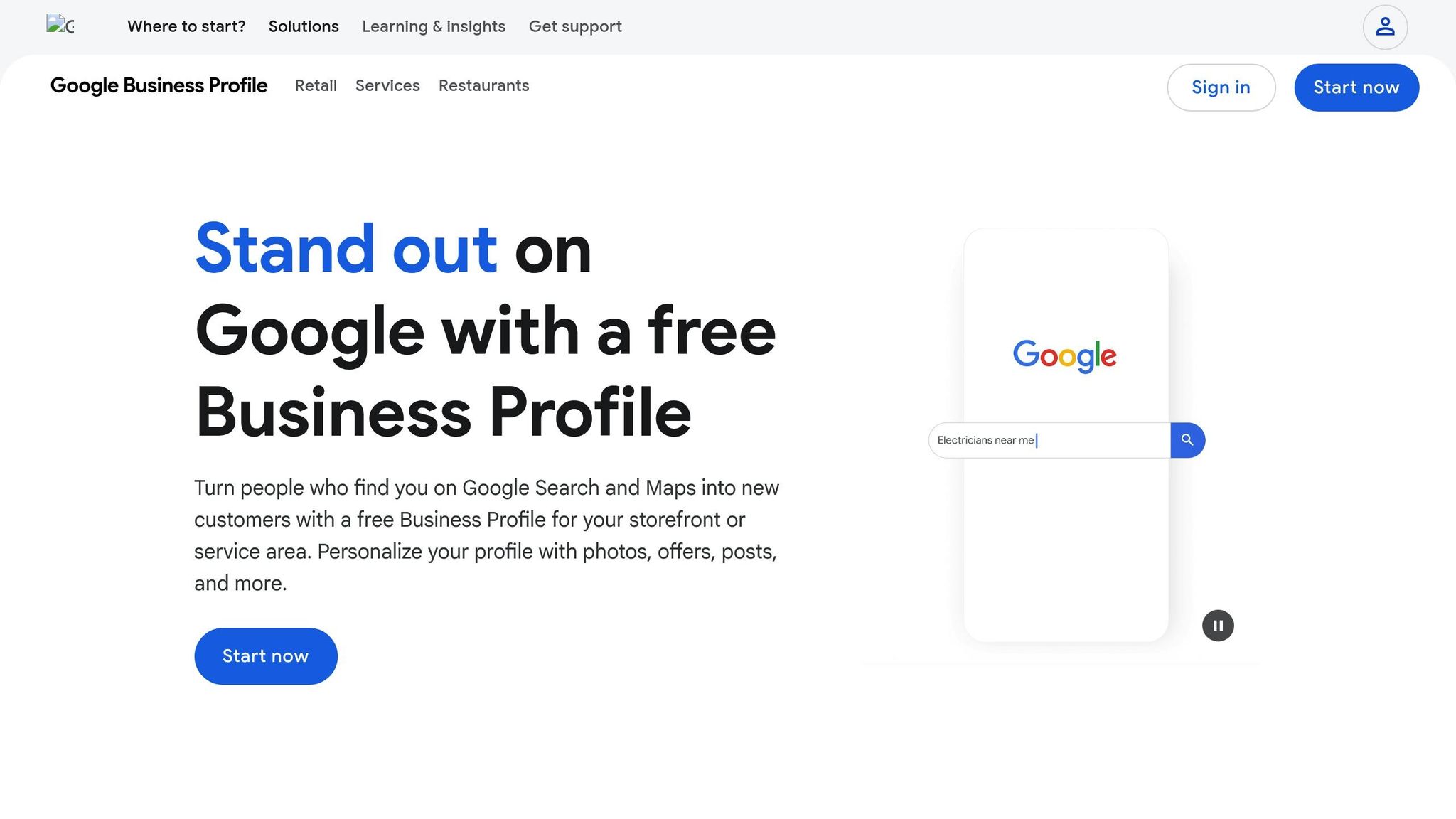

Your Google Business Profile is the cornerstone of your local SEO strategy, helping service-based businesses connect with potential customers through Google’s local search results. For example, when someone searches for "plumber near me" or "HVAC repair in Dallas", your profile determines whether you show up in those map-based results.
Claim and Verify Your Profile
Start by searching for your business name on Google Maps or Google Search. If you find an existing profile, click "Claim this business" and follow the steps to verify it. If there’s no profile, visit the Google Business Profile website to create one by entering your basic details.
Verification is crucial – it confirms your business’s authenticity and allows you to make updates and respond to customer reviews, which can improve your local SEO. Typically, Google sends a postcard with a verification code to your business address, but other methods like phone, email, or instant verification might be available for certain businesses.
If your business operates without a physical storefront but serves a specific area, you can still optimize your profile. Simply list your service areas instead of a physical address. Once verified, complete your profile to enhance visibility.
Fill Out Your Business Information
Make sure every field in your profile is filled out. This includes your business name, address (with accurate geo-coordinates), phone number, operating hours (including holiday hours), website URL, and service categories.
Accurate NAP (Name, Address, Phone Number) information ensures consistency and makes it easier for customers to find you. Listing your hours helps customers know when you’re available, and linking to your website drives traffic while reinforcing your credibility.
Categories are especially important. Start with the most relevant primary category, then add 2-3 secondary categories if needed. For instance, if you own a plumbing business, "Plumber" should be your primary category. These categories help Google match your services with the right local searches.
If possible, enable click-to-call functionality by making your phone number clickable for mobile users. This small step can make a big difference, especially for service-based businesses where customers often need immediate assistance.
A fully completed profile can significantly improve your rankings in the local map pack.
Next, make your profile stand out with engaging visuals and a well-crafted business description.
Add Photos and Write Your Business Description
High-quality photos can increase engagement and click-through rates. Regularly upload images that showcase your business, such as storefront exteriors, interiors, team members, and your services in action. For service-based businesses, before-and-after photos are especially effective. For example, a plumbing company might show a repaired pipe, or a landscaping business could highlight a dramatic yard transformation.
Videos are another great addition. Use them to showcase your services, share customer testimonials, or provide a behind-the-scenes look at your business. These can build trust and encourage more interaction with your profile.
Your business description should naturally include your location and service-related keywords. For instance, a Denver plumbing company might write: "Denver’s trusted plumbing contractor offering emergency plumbing repair, drain cleaning, and water heater installation for both residential and commercial properties". This description incorporates location keywords ("Denver") and service-specific terms ("plumbing repair", "drain cleaning", "water heater installation").
Avoid overloading your description with keywords. Keep it natural and informative. Highlight features that matter to your customers, like "24/7 emergency service", "licensed and insured", or "free estimates". Google uses this description to better match your business with relevant local searches, so including both location and service terms can improve your visibility for "near me" queries.
Keep your profile active by posting regular updates. Use Google Posts to share promotions, events, service updates, or seasonal offerings. Update your hours promptly, especially during holidays or seasonal changes. If you offer seasonal services, make sure to emphasize them – like heating services in winter or cooling services in summer for an HVAC business.
Step 2: Maintain NAP Consistency Across All Platforms
Keeping your NAP (Name, Address, Phone Number) consistent across all platforms is crucial for ranking well in local search results. When your business details match everywhere, search engines recognize your business as trustworthy and are more likely to rank it higher in local searches. On the flip side, inconsistencies – like listing "John’s Plumbing" on Google Business Profile but "John’s Plumbing Services" on Yelp, or using different phone numbers – can confuse search engines and hurt your rankings.
This confusion doesn’t just impact rankings; it can cost you customers. If potential clients see conflicting information, they may lose confidence in your business and turn to a competitor instead. Consistency in NAP isn’t just about search engines – it’s also about building trust with your audience.
Review Your Current Listings
Start by auditing where your business appears online. Check platforms like Google Business Profile, Yelp, Apple Maps, Bing Places, social media profiles (Facebook, Instagram, LinkedIn), and your own website. Don’t forget local business directories, industry-specific platforms, and review sites.
Focus on high-visibility platforms first. Begin with your Google Business Profile and website, then move to Yelp and Apple Maps. After that, check directories specific to your industry. For instance:
- Lawyers should ensure they’re listed on Avvo and Justia.
- Medical professionals should prioritize Healthgrades and ZocDoc.
- Home service providers like plumbers or HVAC contractors should check directories like Angi (formerly Angie’s List) and The Home Depot’s contractor directory.
To streamline this process, use tools like Moz Local, BrightLocal, or Whitespark to track your listings and spot inconsistencies. Create a spreadsheet to document every platform where your business is listed, along with the exact NAP details. This will help you maintain consistency moving forward.
Fix Inconsistent Information
Once you’ve identified inconsistencies, update each listing to match a standardized format. Here’s how to ensure uniformity:
- Business Name: Use your full, official business name without variations. For example, if your registered name is "Smith & Associates Plumbing LLC", don’t shorten it to "Smith Plumbing" or "Smith and Associates".
- Address: Always list your complete address in the same format. Include the street number, street name, suite or unit number (if applicable), city, state (using the two-letter postal abbreviation), and ZIP code. For example: "123 Main Street, Suite 200, Denver, CO 80202" instead of "123 Main St, Denver, Colorado 80202".
- Phone Number: Use a consistent format, such as (XXX) XXX-XXXX or XXX-XXX-XXXX, across all platforms.
Start with your Google Business Profile, then update each platform systematically. Keep track of changes in your spreadsheet to monitor progress. Allow 2–4 weeks for search engines to update their indexes before assessing the impact on your rankings.
For duplicate listings, claim and merge them. If you can’t claim a listing, contact the platform’s support team to request corrections or removal.
If your business has multiple locations, treat each one as a separate entity with its own unique NAP information. Create individual Google Business Profiles for each location and use location-specific details on all platforms. For businesses serving multiple cities from a single office, consider creating location-specific landing pages while maintaining consistent NAP details.
Add Your Business to Key Directories
Once your current listings are updated, expand your online presence by adding your business to additional directories. Focus on platforms like Google Business Profile, Yelp, Apple Maps, Bing Places, and the Better Business Bureau. Also explore local directories, chamber of commerce listings, and industry-specific platforms.
The best directories for your business depend on your industry:
- Legal services: Avvo, Justia.
- Healthcare: Healthgrades, ZocDoc.
- Home services: Angi, The Home Depot’s contractor directory.
- Dental services: ZocDoc, Healthgrades.
When adding your business, ensure your NAP details match exactly across all platforms. Even small differences – like "Street" on one site and "St." on another – can confuse search engines and hurt your rankings.
Focus on quality over quantity. It’s better to have fewer, accurate listings on trusted platforms than a large number of inconsistent ones. Schedule quarterly audits to verify that your NAP details remain accurate everywhere. If managing multiple listings feels overwhelming, consider using a service like Yext to handle updates across directories automatically.
Step 3: Optimize Your Website for Local Search
After ensuring consistency across your profiles and listings, it’s time to make sure your website reflects local relevance. Your website serves as the foundation of your local SEO strategy. While your Google Business Profile helps people find you on the map, your website is where they learn about your services and decide if they want to reach out. By clearly showcasing your service areas and offerings, you can attract more local clients. Here’s how to use your website to boost your local visibility.
Add Location Keywords to Your Pages
Incorporate location-based keywords that combine your services with your specific area. For example, phrases like "roofing contractor Springdale" or "estate lawyer Bentonville" directly connect what you offer with what potential customers are searching for. Long-tail keywords – such as "affordable kids dentist west Little Rock" – are especially effective because they often signal higher buying intent.
Pay attention to the language your customers use. If people often search for "plumber in downtown Denver" or "Denver plumber near me", use these natural phrases to guide your keyword strategy. Once you identify the right keywords, integrate them seamlessly into title tags, meta descriptions, image alt text, and even your business description on your Google Business Profile. This not only improves your website’s relevance but also strengthens your overall local SEO efforts.
Add Local Schema Markup
Schema markup is a type of code that helps search engines understand the details of your business. Start with LocalBusiness schema to include key information like your business name, address, geo-coordinates, phone number, website URL, and operating hours. You can also add other schema types, like Service schema to detail your offerings, Review or AggregateRating schema to highlight customer feedback, and BreadcrumbList schema to improve navigation.
Here’s a quick overview of common schema types:
| Schema Type | Purpose | Ideal For |
|---|---|---|
| LocalBusiness | Displays your business and location info | Homepage and main business pages |
| Service | Highlights specific services offered | Individual service pages |
| FAQ | Answers common customer questions | FAQ and service pages |
| BreadcrumbList | Enhances site navigation clarity | Multi-level website structures |
| Review/AggregateRating | Showcases customer testimonials and ratings | Service pages and testimonials |
Keep your structured data up to date as your business evolves, and use Google’s Rich Results tool to check for errors and ensure everything is functioning properly.
Create Pages for Each Service Area
If your business serves multiple cities or neighborhoods, create dedicated pages for each location. These pages should include unique title tags, accurate NAP (Name, Address, Phone) details, and a description tailored to that area. Include service area information, embed Google Maps for easy navigation, and add localized testimonials to build trust.
Adding references to local landmarks, neighborhood-specific FAQs, and conversational keywords can also help you capture voice search queries. Use internal links to connect your main service pages with these location-specific pages, which helps distribute link equity and clarify your site’s structure.
To ensure your site is easy to navigate for both users and search engines, keep your XML sitemap, robots.txt, and canonical tags updated. Regularly perform technical audits using tools like Google Search Console to catch and fix any issues that could hurt your local search rankings.
sbb-itb-5b82b38
Step 4: Collect and Manage Customer Reviews
Customer reviews are a powerful way to build trust with both potential customers and search engines. For service-based businesses, reviews play a direct role in determining your ranking in local search results. Google’s algorithm factors in the number, quality, and freshness of reviews when ranking businesses. Beyond search visibility, reviews serve as proof of ongoing customer engagement. In industries where customers often research extensively before committing, positive reviews can be the deciding factor that sets you apart from competitors.
Ask Customers for Reviews
The best time to ask for a review? Right after completing the job, when your customer is most satisfied. Aim to reach out within 24–48 hours of finishing the service.
Make it as easy as possible for your customers to leave a review. Here are some ways to streamline the process:
- Send follow-up emails with a direct link to your Google Business Profile review page.
- Include review requests in text messages, invoices, or receipts.
- Use QR codes that link directly to your review page.
- Train your team to ask for reviews in person. A friendly, personal request often works better than an automated message.
If you want to automate the process, set up email or SMS review requests that go out immediately after a job is done. Always include direct links to your review page – don’t make customers hunt for it.
Focus on the platforms that matter most. While Google Business Profile should be your top priority, industry-specific platforms can also make a big impact. For example:
- Law firms: Avvo, Justia
- Healthcare providers: Healthgrades, ZocDoc
- General service businesses: Yelp, Bing Places
Instead of spreading your efforts thin, prioritize 3–5 platforms where your customers are most likely to leave reviews.
When asking for reviews, guide your customers to leave detailed feedback. Skip generic requests like “Leave us a review” and try something more specific: “We’d love to hear about the service you received and how it helped you.” Detailed reviews that mention specific services – for example, “They repaired my HVAC system quickly and professionally” – are not only more helpful to potential customers but also boost your local SEO with keyword-rich content.
Reply to All Reviews
Once you start collecting reviews, it’s critical to respond to them. Engaging with reviews builds trust and shows potential customers that you care about their experience. Plus, it signals to Google that your business is active and responsive, which can help your local rankings.
For positive reviews, thank the customer by name, mention specific details they appreciated, and invite them to return or recommend your services. Keep your responses short but personal – avoid canned replies that feel robotic. This is also a great opportunity to naturally include local keywords and service descriptions, giving your SEO a small boost.
For negative reviews, respond quickly – ideally within 24–48 hours. Stay professional and empathetic, even if the review feels harsh. Acknowledge the issue, apologize if appropriate, and offer a solution or invite the customer to discuss the matter offline. Avoid being defensive or argumentative. Handled well, a negative review can actually strengthen trust by showing that you take accountability and are committed to resolving issues.
Make it a habit to respond to every review. This consistent engagement not only builds customer trust but also reinforces your presence in local search results.
Track Reviews Across Platforms
As your business grows and reviews start rolling in from multiple platforms, managing them manually can become overwhelming. That’s where review management tools come in. These tools centralize your reviews, making it easier to monitor and respond efficiently.
Platforms like BrightLocal are great for tracking reviews across multiple locations and ensuring your business information (NAP: name, address, phone number) stays consistent. ReviewTrackers is another excellent option, specifically designed for service-based businesses. These tools let you:
- Get notifications for new reviews.
- Respond to reviews from a single dashboard.
- Track trends over time.
- Identify which platforms generate the most reviews.
Pay attention to key metrics to measure your review performance, such as:
- Total review count (a higher number improves visibility).
- Average rating (aim for 4.5 stars or higher).
- Review velocity (how quickly new reviews are coming in).
- Response rate (percentage of reviews you reply to).
- Response time (how fast you respond to reviews).
Also, take note of recurring keywords in your reviews. These often highlight what customers value most and can help shape your marketing and service descriptions.
Aim to grow your review count by 10–15% each quarter. Use tools like Google Business Profile Insights to track how often customers view your reviews and take actions like visiting your website, calling your business, or requesting directions.
If you’re just starting out, Google Business Profile’s built-in review management features might be enough. But as your business expands or you operate in multiple locations, investing in dedicated tools becomes essential to keep your review strategy organized. Regularly auditing your reviews – looking at scores, response rates, and trends – ensures your reputation management stays on track.
For a simpler way to manage everything, tools like UENI’s Business Hub can consolidate reviews and reputation monitoring into one platform. This makes it easier to maintain a professional brand image without juggling multiple dashboards.
Step 5: Monitor Results and Update Your Strategy
Once you’ve optimized your profiles and ensured consistent listings, the real work begins: keeping an eye on your progress and refining your approach. Local SEO isn’t a one-and-done deal – it requires regular monitoring and fine-tuning. Businesses that thrive in local search are the ones that consistently track their performance, figure out what’s working, and adjust based on real-world data.
Track Your Performance Metrics
To understand how your local SEO efforts are paying off, you need to track the right metrics. Start with Google Business Profile insights, which provide a clear view of how customers discover and interact with your business. Check these insights monthly to see which search queries lead people to your profile and what actions they take – whether it’s calling your business, requesting directions, or visiting your website.
Focus on customer action metrics, as these show whether your local SEO efforts are driving actual results. Keep tabs on the number of phone calls, direction requests, and website clicks generated by your profile. For many service-based businesses, phone calls are the most valuable conversions.
Next, dive into search query data to see what potential customers are typing into Google to find you. Use this information to refine your keyword strategy. If certain service-related queries are bringing in traffic, make sure those keywords are prominently featured in your business description and service listings. On the flip side, if you’re getting impressions for searches that don’t match your offerings, adjust your profile to better reflect what you provide.
Also, pay attention to how customers find your profile – whether it’s through direct searches (typing your business name), discovery searches (looking for a service category), or Google Maps. Discovery searches are especially valuable because they represent potential customers who didn’t know about your business before. Use tools like Google Search Console and Analytics to track local search traffic, and analyze which location or service-area pages are generating the most traffic and conversions. This can help you identify where your local SEO efforts are most effective.
Finally, monitor your local keyword rankings. Tools like Semrush or Ahrefs can help you track how your primary local keywords – such as "plumber near me" or "estate lawyer Bentonville" – are performing, along with more specific, high-intent phrases like "affordable kids dentist west Little Rock." These specific terms often lead to better conversions because they indicate that customers already know what they’re looking for. Review Google Search Console data for high-impression queries with low click-through rates, as these might signal opportunities to improve your title tags or descriptions.
Use all these insights to guide your quarterly SEO audits.
Run Regular SEO Audits
Think of quarterly SEO audits as routine maintenance for your local SEO strategy. These audits help you catch small issues early and ensure that both customers and search engines always have accurate information about your business.
Start by checking your NAP (Name, Address, Phone Number) consistency. Tools like Moz Local or BrightLocal can scan your listings for duplicates or inconsistencies. Inconsistent information can hurt your rankings, so it’s crucial to fix any errors right away.
Review your Google Business Profile to make sure everything is accurate and up to date. Double-check your business hours – especially if they vary seasonally – and ensure all your services are clearly listed. Update your photos regularly to showcase your work, and confirm that your business categories accurately reflect what you offer.
Take a close look at your review performance across platforms. Calculate your average rating, total review count, and the rate at which new reviews are coming in. Also, monitor your response rate and how quickly you reply to reviews. Negative feedback can often highlight areas for improvement, so look for recurring issues that need to be addressed.
Don’t forget to test your website’s page speed and mobile usability. Most "near me" searches happen on mobile devices, so a slow or poorly optimized mobile site can hurt your rankings. Tools like Google Lighthouse can provide recommendations to improve your site’s performance.
Conduct a link and citation audit to uncover new opportunities. For example, check which local directories or citations your competitors are listed on that you might be missing. Fix any broken links and look for local websites, community groups, or business associations where you could earn backlinks.
Lastly, verify your schema markup. Local business schema helps search engines display your business information accurately in search results. If you’ve added new services or changed your service areas, update your schema to reflect those changes.
Platforms like BrightLocal can simplify citation tracking and local listing audits, while tools like Semrush and Ahrefs can help with keyword tracking and competitor analysis. Studying your competitors’ backlink profiles, keyword strategies, and Google Business Profile updates can reveal gaps in your own approach.
Keep Your Profile Active
Audits are important, but keeping your profile active is equally crucial for maintaining strong local SEO. An up-to-date and engaged Google Business Profile signals to Google that your business is relevant and active, which can boost your local search rankings.
Post Google Posts regularly – weekly if possible, or at least every two weeks. Use these posts to share promotions, special offers, service updates, seasonal tips, or holiday hours. For example, a plumber might share winter maintenance tips, while an HVAC company could remind customers to schedule seasonal tune-ups.
Keep your profile fresh with updated business hours, new photos, and announcements about local events. Visual content, like photos of completed projects or candid team shots, can build trust and give potential customers a sense of what to expect.
Maintain a FAQ section on your profile to address common questions about your services, pricing, service areas, or booking process. This not only helps customers find answers quickly but also gives you another opportunity to include local keywords naturally.
Engage with your local community online and offline. Hosting or sponsoring community events, supporting local charities, or participating in business associations can help you build local authority. Plus, these activities often lead to valuable backlinks when local organizations link to your website.
If managing all these tasks feels overwhelming, consider using platforms like UENI’s Business Hub. These tools can streamline review management, SEO audits, and social media tasks, helping you maintain an active online presence without juggling multiple platforms.
Conclusion
Summary of Checklist Steps
Local SEO success hinges on consistent attention to detail. These five steps lay the groundwork for building a strong presence in local search results.
Start by setting up and optimizing your Google Business Profile. This is often the first place potential customers see your business in local search and on Google Maps. Make sure every section is complete and accurate, and include high-quality photos to make your listing stand out.
Next, focus on maintaining NAP consistency across all platforms. Your Name, Address, and Phone Number must match exactly everywhere they appear – on listings, social media profiles, and your website. Any discrepancies can confuse Google, leading to lower rankings.
Optimize your website for local search by creating dedicated pages for each service area, using localized keywords, and adding schema markup to help search engines understand your business better. Also, make sure your site is mobile-friendly and loads quickly, as most "near me" searches happen on mobile devices.
Actively collect and manage customer reviews. Reviews are a key factor in local search rankings and help build trust with potential customers. Encourage happy clients to leave feedback, respond to all reviews – both positive and negative – and monitor your review performance across different platforms.
Finally, monitor your results and adjust your strategy regularly. Conduct quarterly audits to ensure NAP consistency, review Google Business Profile insights, check your website’s mobile performance, and analyze which keywords are driving traffic. Keep your profile active with fresh posts, updated photos, and accurate business hours.
These steps work together to create a well-rounded local SEO strategy that attracts qualified leads. The secret to success? Consistency. Local SEO isn’t a one-time task – it requires regular upkeep to stay effective.
How UENI Can Help
Managing local SEO can be time-consuming and technical, but UENI simplifies the process with a done-for-you solution. Instead of juggling multiple tools and platforms, UENI handles everything from website creation to local SEO optimization.
With UENI, you get a professional, mobile-friendly website in just seven days. It includes a custom domain, email addresses, and built-in SEO features. Plus, they set up and optimize your Google Business Profile for you, saving you the hassle. Your site can also include booking systems and e-commerce functionality, tailored to your needs.
UENI’s Plus Plan ($59/month) goes further by offering advanced local SEO services and unlimited professional edits. They’ll manage updates to your NAP information, resolve technical issues, and handle all ongoing website maintenance – so you don’t have to.
For businesses looking to grow, the Growth Plan ($99/month) adds personalized marketing support. This includes SEO audits and 1-on-1 strategy sessions to help you identify the best local keywords, improve rankings, and focus your efforts where they’ll have the greatest impact.
To make things even easier, UENI’s Business Hub brings everything together. From one dashboard, you can manage your website, emails, online reviews, and social media content. No more logging into multiple accounts to update business hours or track reviews – this centralized tool streamlines your workflow and ensures consistency.
With a 4.8 rating on Trustpilot and a 30-day money-back guarantee, UENI offers a low-risk way for service-based businesses to establish a strong online presence. Whether you’re starting fresh or improving an existing site, UENI’s hands-off approach lets you focus on running your business while they handle the technical complexities of local SEO.
FAQs
How can service-based businesses without a physical location optimize their Google Business Profile?
Service-based businesses without a physical storefront can still make the most of their Google Business Profile with a few smart strategies. Start by setting your business as a service-area business in the profile settings. This allows you to hide your physical address while clearly defining the areas you serve. Listing these areas accurately ensures potential customers in your region can find you with ease.
Next, fully complete your profile. Include essential details like your business name, phone number, website, and a well-written description of your services. Don’t forget to upload high-quality photos that highlight your work – visuals can make a big impact. Also, encourage happy customers to leave positive reviews, as these help establish trust and improve your visibility in search results.
Lastly, regularly update your profile with accurate information. Keep your operating hours, special promotions, or seasonal services current. Frequent updates show both Google and your audience that your business is active and dependable, which can boost your local search ranking.
How can I encourage customers to leave detailed and positive reviews for my business?
Encouraging customers to leave thoughtful and positive reviews starts with delivering a standout experience that goes beyond what they expect. Once you’ve done that, kindly ask for their feedback. This can be done in person, through an email, or even with a follow-up text message. Make the process effortless by including direct links to your review platforms, like Google or Yelp.
If you want to sweeten the deal, consider offering small incentives – like discounts or entry into a giveaway – while staying within the guidelines of the review platforms. Personalize your request by referencing specific details about their experience and explaining how their feedback helps your business grow. And don’t forget to respond to reviews, whether they’re glowing or critical. It shows customers that their opinions truly matter to you.
How often should service-based businesses review their local SEO strategy to stay effective?
To keep a local SEO strategy on point, service-based businesses should aim to perform an SEO audit every six months. These audits are crucial for spotting outdated methods, measuring progress, and adjusting to shifts in search engine algorithms or local market dynamics.
If your business operates in a highly competitive field or is growing quickly, you might find it helpful to review your SEO strategy more often – say, every three months – to stay competitive and maintain a steady flow of local customers.