
Even though your business probably needs to operate several different kinds of software to run smoothly, that doesn’t necessarily mean you need to spend a lot to be digitally equipped. That’s why we put together this thorough list of the best digital tools for small businesses.
Our selection runs the gamut – from accounting and bookkeeping, email and outreach, from graphic design to project management. What’s more: everything on this list is either completely free or very low cost.
So what have you got to lose? Start growing your business with these digital tools for small businesses.
Email & Communication
1. MailChimp

MailChimp is an email marketing tool for business owners or organisations with a limited marketing budget.
It’s the perfect starter tool, as you can select different tiers depending on the volume and frequency of email campaigns you plan to launch. Use it to design compelling campaigns, to advertise your services or a promotion, or just to keep your customers up-to-date.
You can segment several lists to make sure everything you send goes out to precisely the right recipients. You can even monitor your emails’ performance (how many have been opened, how many have clicked on your promo, etc.) using their analytical reports.
The MailChimp free subscription plan endows you with up to 2,000 subscribers and allows you to send 12,000 emails per month. It’s one of the most essential digital tools for small businesses, no matter what your line of work. If you have customers to keep in touch with, get it.
Customer Support
2. ZenDesk
ZenDesk is a popular help desk solution. It provides a platform for customers to communicate with you directly over chat, to submit queries by email, and to read articles prepared to answer the most common questions.
ZenDesk allows you to track customer service tickets that are created automatically; whenever a customer contacts you, they’ll be assigned a ticket. That way, your agents can see and address all queries efficiently and quickly.
ZenDesk also provides a platform on which you can easily create an F&Q section, where you can share user guides, search tools, or whatever is useful to your customers.
Get a free 30-day trial, and after you can consider getting a subscription, which ranges from £5 to £149 depending on the scale of your business.
3. SurveyMonkey
Ever wanted to know what your customers had wondered, but had never dared to ask you? Improvements you could make? Something obvious you’ve overlooked?
Try using SurveyMonkey. This software lets you create, distribute and analyze the surveys for your customers about your business.
It’s easy as pie for you to make the survey, and smooth as butter for your customers to answer the questions.
Give it a go through the free trial (which does limit the number of questions you can ask) and then decide whether or not to upgrade to a premium package.
Keyword Research
4. KWFinder by Mangools
KW Finder is one of the best keyword tools for small businesses and can work wonders when it comes to optimising your business for search engines.
This application helps you identify relevant keywords to your business and will help you analyse current search engine results to optimise the content on your page.
Their free accounts will let you do up to 3 lookups per day and display 50 keywords per search.
Company Communication
5. Slack
Slack is a smart messaging app that keeps all your team communication in the same place, without excessively long email chains.
This digital tool also lets you switch between direct and group messaging by creating different channels. In addition to real-time messaging, Slack offers advanced search filters – so you can find that document someone sent you weeks ago in seconds.
Another bonus: Slack offers excellent integration with many of the services we’ve mentioned, so you can be instantly notified when there’s a change in your funds, for example, or someone responds to a call to action during an email marketing campaign.
Overall, this application is a well-thought-out hub for workplace communication, especially for companies that rely on remote employees.
Digital Presence
6. UENI
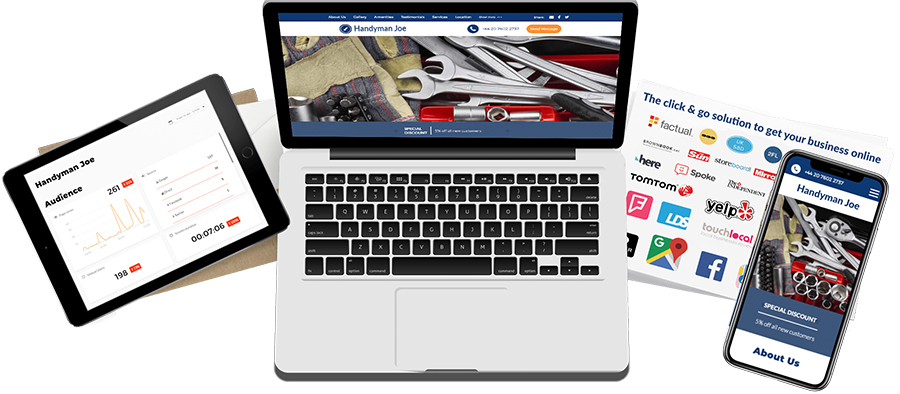
Whether you run a removal service or locksmith business, it’s simply impossible for business owners NOT to be online today.
The best way is to opt for a smart and optimised website that’ll take work off your plate while making it easy for your customers to find you.
There are tons of options out there, but UENI is different. Unlike the DIY solutions that demand you build your own website without technical expertise, UENI will build a website for your business for you, and our starter plan is free.
While our paid plans offer more features – like custom domains and business emails – all of our plans will provide you with a well-designed, fast loading website.
Social media
7. Sprout

If you have multiple social media accounts for your business – and what business isn’t on Facebook, Twitter, Snapchat and/or Instagram these days? – you know how difficult it can be to juggle all of them, keeping each updated and posting regularly.
If you feel like you’re a bit behind on your social calendar (or you’re spending too much time on it), invest in some social media management.
Sprout is one of the best out there, with a friendly, easy to use interface. Schedule and queue your posts, monitor your content to see what’s performing best, find good stuff to repost, and get notified each time someone hashtags something.
Those are just a few of the many cool functions it offers.
Start with their free 30-day trial and check out their plans for small, medium size or large businesses.
8. Bitly
Bitly is a cool, practical tool that lets you shorten URLs, save and share your favorite links that you find online. This tool comes as quite handy since Twitter has a character limit, saving you some precious space. If you create an account, you also get to customize your link (eg.) which makes them look neater. You can also track your link performance over time with an indication of incoming traffic that is going to your link on any given day.
Signing up for a free account will get you a long way as you can shorten your links, customise and monitor clicks per referrers or location.
Design
9. DesignMantic

Finding the right logo that makes you immediately identifiable is a challenge for non-designer business owners. DesignMantic simplifies this process by helping you through all the steps of the creation.
Once you submit your business name, you’ll be able to browse through different options. Then when you found the one you want, you can tweak it to your taste, add your slogan, tagline etc.
10. Dropbox Sign (formerly HelloSign)
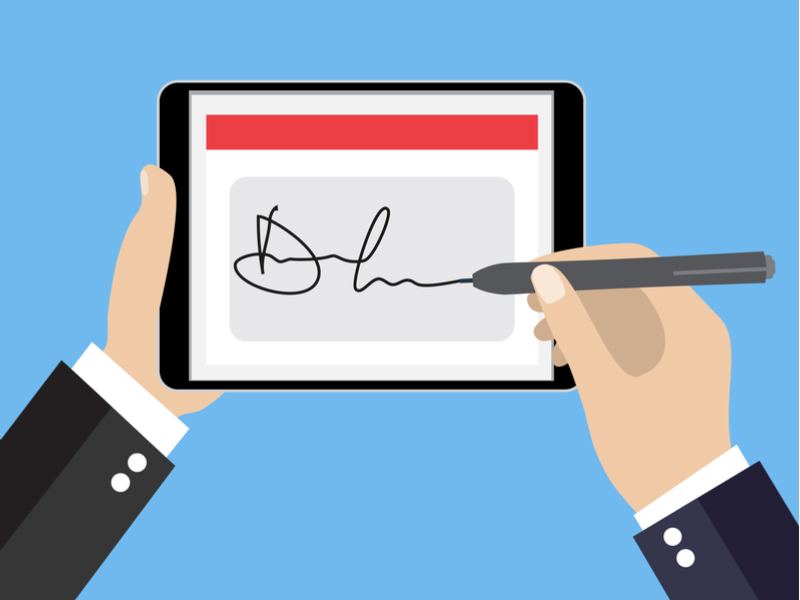
When you need someone’s signature, you no longer need to collect it in person.
HelloSign is an online tool that allows you to upload any document that requires a legally binding electronic signature.
With Dropbox Sign, you can access all of your important documents in a single, secure place. You can even create reusable templates for documents you send out often.
The free starter plan lets you send out 3 documents per month. For more features, check out the pro and business version(s).
Project management
11. ProofHub

ProofHub is a comprehensive project management and team collaboration tool designed for teams seeking an all-in-one solution without per-user pricing constraints. The platform brings together core project management capabilities, including task assignment, milestone tracking, Gantt charts, and Kanban boards, with collaborative tools like team chat, discussion threads, and centralized file management. Project managers benefit from multiple visualization options, switching seamlessly between Gantt timelines for dependency mapping, Kanban boards for workflow management, calendar views for deadline tracking, and table formats for detailed task lists.
The platform includes built-in time tracking and progress reporting, enabling managers to effectively monitor project health and resource allocation. ProofHub’s flat-rate pricing structure offers two flat-fee tiers, with the Ultimate Control plan at $89 monthly providing unlimited users and projects, making it particularly cost-efficient for scaling teams that need robust project oversight without escalating software costs.
12. Trello

If you prefer organising your projects in a highly visual way, then Trello is the right tool for you.
Basically, it’s a collaborative workspace, on which each project you launch is represented by a card.
As your projects hit their milestones, you can just drag and drop these cards onto the next sequential column, so that each member of your staff knows the status of each project.
The free plan gets you unlimited boards, list, cards, members, checklists and attachments, and you can upload attachments up to 10MB.
They also have more advanced solutions for larger enterprises; it just depends what you need.
Backup and recovery software
13. Crashplan

There’s nothing worse for a business owner than losing all of your data or your bookkeeping.
Make sure this doesn’t happen by investing in solid backup software.
When it comes to backup, Crashplan is the best storage tool for small businesses.
It securely stores all your precious files and folders without interfering with your day-to-day operations. You just turn it on and that’s it – everything is saved and protected.
Start with their 30-day free trial, or check out their plan for £10 a month.