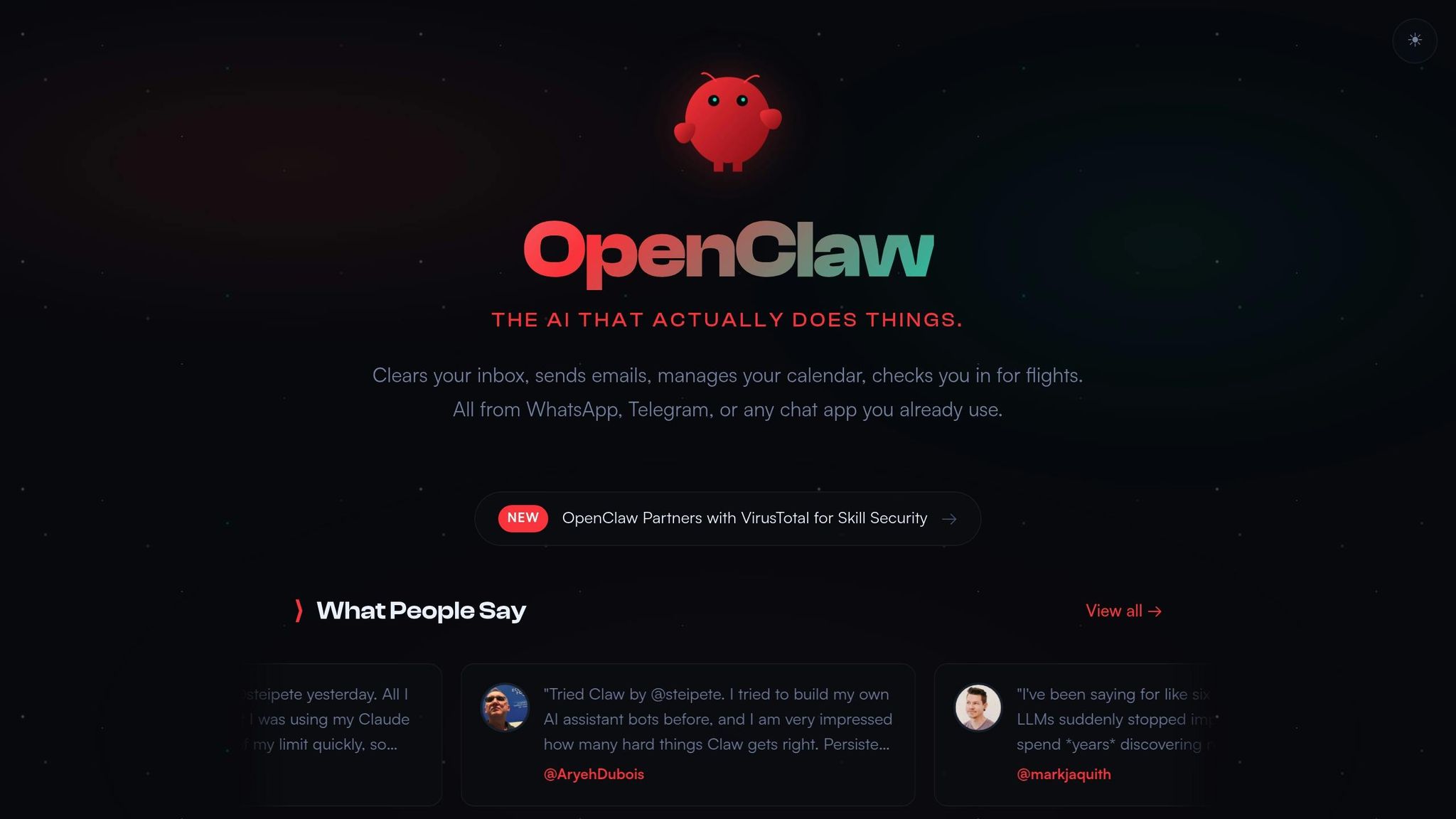
OpenClaw is a free, open-source AI assistant that helps small businesses save 10–15 hours a week by automating repetitive tasks like managing emails, scheduling appointments, handling customer inquiries, and tracking expenses. It operates through simple, plain-English instructions on popular platforms like WhatsApp, Telegram, and Slack – no coding required.
With OpenClaw, you can:
- Automate customer support by answering routine inquiries 24/7.
- Simplify client onboarding by automating emails, document collection, and scheduling.
- Organize your inbox with email summaries, follow-up reminders, and reply drafts.
- Track expenses using OCR for receipts and automated financial reminders.
- Manage team tasks with shared lists and real-time updates.
It’s affordable, costing only $10–$40 monthly in AI compute fees, and prioritizes privacy by running directly on your computer or server. With a quick setup process and no technical expertise required, OpenClaw is a practical solution for streamlining small business operations.
The platform also emphasizes security, offering local data storage, encryption, and user-role controls to protect sensitive information. OpenClaw’s community-driven development ensures continuous improvements, making it a trusted tool for businesses.
For small business owners looking to save time and boost efficiency, OpenClaw offers a reliable, cost-effective alternative to hiring a virtual assistant.
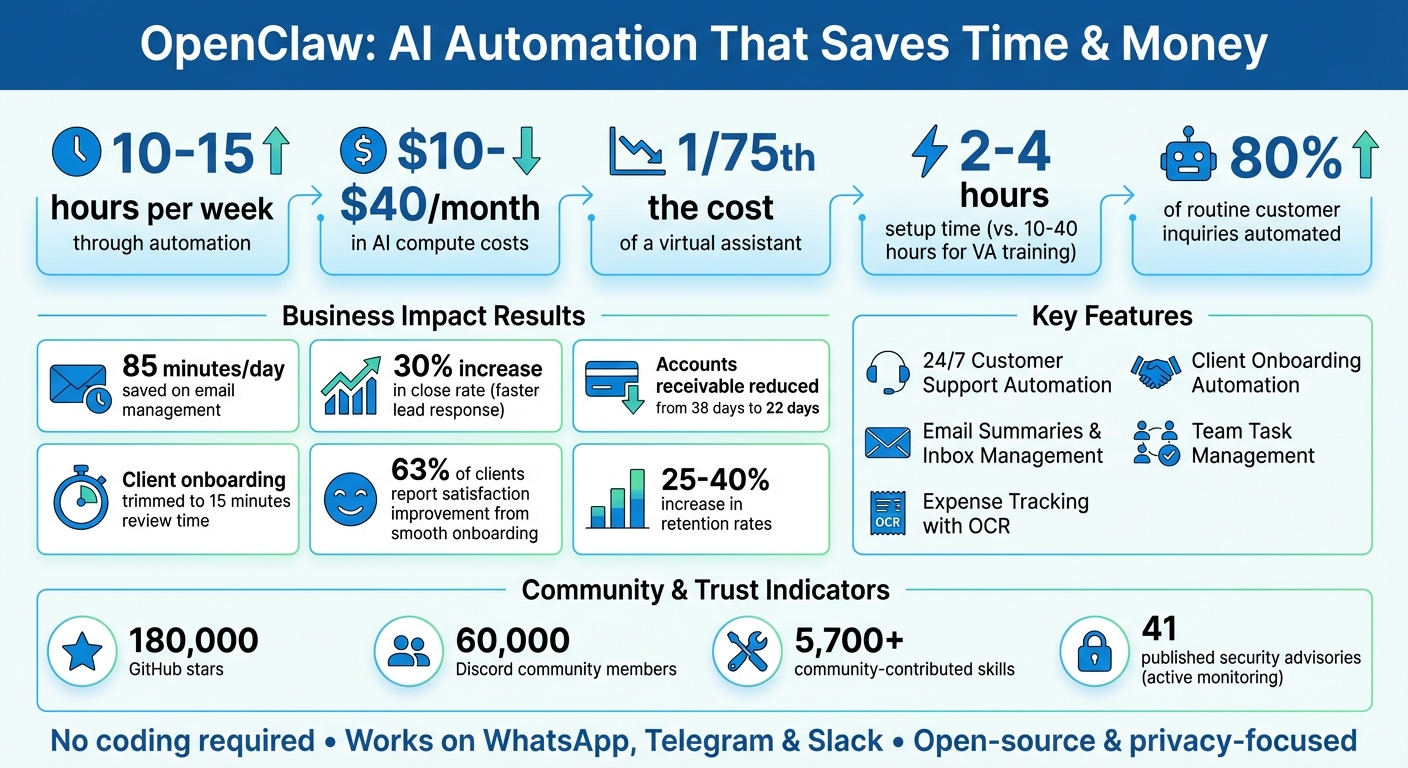
OpenClaw Time and Cost Savings for Small Businesses
Use Cases for Non-Technical Small Businesses
OpenClaw takes the hassle out of routine tasks – no coding required. Just describe what you need in plain English, and the AI handles the rest. Here’s how small business owners are using OpenClaw to save time and focus on what matters most.
Automate Customer Support Responses
Handling customer inquiries can be time-consuming, but OpenClaw makes it easier by managing up to 80% of routine questions. By processing your uploaded product manuals, FAQs, and documentation, the AI can provide instant answers about pricing, business hours, shipping, and services – anytime, day or night, through platforms like WhatsApp, Telegram, or email. You can even customize responses by defining your business rules and tone in a simple text file (SOUL.md), ensuring replies match your brand’s personality.
Simplify Client Onboarding
Onboarding new clients can eat up hours, but OpenClaw trims that time down to just 15 minutes of review per client. It automates tasks like sending personalized welcome emails, collecting necessary documents, setting up project folders in cloud storage, and scheduling kickoff calls. This not only saves time but also leaves a great first impression, with 63% of clients reporting that a smooth onboarding process significantly improves satisfaction and retention rates increasing by 25–40%.
Summarize Emails and Manage Your Inbox
Drowning in emails? OpenClaw can help. It scans your inbox, categorizes messages into labels like Urgent, Important, FYI, or Newsletter, and sends you a quick summary via your favorite messaging app. It even drafts replies in your tone based on past interactions, making it easy to review and hit send. Plus, it monitors follow-ups, flags unanswered threads, and sends polite reminders. This system can save professionals about 85 minutes a day on email management, while also condensing multiple newsletters into a single digest highlighting the key points.
Track Receipts and Expenses Automatically
Managing expenses is a breeze with OpenClaw. Snap a photo of a receipt or forward a digital invoice, and the AI uses optical character recognition (OCR) to extract essential details like amount, vendor, date, and category. You can also log expenses with a quick text message (e.g., "$45 lunch with client Sarah, client entertainment"), and it’s instantly recorded. One 5-person service company even reduced its accounts receivable time from 38 days to 22 days by automating financial reminders through OpenClaw. The system also tracks recurring bills, monitors due dates, and sends alerts to keep your cash flow in check.
Create Shared Lists and Reminders
Keeping your team organized is simple with OpenClaw. Just describe what you need, and the AI creates collaborative task lists, project checklists, or inventory trackers. These lists update in real time and send reminders to the right team members via platforms like WhatsApp, Slack, or email. No need for extra apps – everyone stays on the same page effortlessly.
sbb-itb-5b82b38
How to Get Started with OpenClaw
Getting started with OpenClaw is surprisingly quick – it only takes about 2–4 hours to set up, a fraction of the 10–40 hours you’d typically spend training a virtual assistant. Plus, it’s built for non-technical users, so there’s no need to write code or mess with complicated configuration files. Let’s dive into the steps.
Set Up the No-Code Visual Builder
Installing OpenClaw is straightforward. You can use a simple one-line command (curl -fsSL https://openclaw.ai/install.sh | bash) or install it through npm (npm install -g openclaw@latest). Once installed, run openclaw onboard to configure your workspace and connect to your AI model provider. The setup wizard takes care of everything, so you won’t have to edit files manually.
After setup, type openclaw dashboard and open http://127.0.0.1:18789/ in your browser to access the visual interface. From there, you can connect messaging platforms like WhatsApp by scanning a QR code (openclaw channels login) or link Telegram using a bot token from @BotFather.
Pro tip: Use a dedicated phone number (SIM or eSIM) for WhatsApp to keep business communications separate from personal ones.
Once the installation is complete, you’re ready to start building automated workflows.
Build Workflows by Connecting Nodes
With OpenClaw installed, you can design workflows tailored to your needs. Just describe your requirements in plain English – define your services, pricing, and tone in SOUL.md – and let the AI handle the logic using its "Closed Loop" framework (Trigger, Context, Action, Artifact, and Guardrails).
This system ensures your workflows are focused and efficient. Instead of creating open-ended conversations, you’re building targeted automations that deliver real results, like drafting emails, generating expense reports, or organizing task lists.
Test and Deploy Your Workflows
Before deploying your workflows, run openclaw doctor to ensure all connections are working properly. You can also test scheduled tasks manually with openclaw cron run [workflow-name]. For workflows that involve customer communication, start in draft-only mode to review AI-generated responses before they’re sent. This step helps ensure accuracy and builds trust in the system.
When you’re confident in your workflows, deploy OpenClaw as a background service using openclaw onboard --install-daemon. This keeps your automations running 24/7 and ensures they restart automatically if your system reboots. Start small with read-only tasks, like daily email summaries or calendar updates, and gradually move to action-based workflows, such as sending reminders or replying to inquiries.
Security Considerations and How OpenClaw Addresses Them
When it comes to automating business tasks with AI, security isn’t just important – it’s non-negotiable. OpenClaw understands this and builds its features with a strong focus on protecting your sensitive data. Whether it’s handling customer emails, receipts, or API credentials, OpenClaw offers security tools tailored for small businesses, especially those without dedicated IT teams.
Data Privacy and Encryption
OpenClaw ensures your data stays under your control by storing API keys and tokens locally. This approach minimizes exposure, but it also means you’ll need to follow basic security practices. To help with this, OpenClaw includes a security audit tool. Running openclaw security audit --fix ensures proper directory permissions (700 for user-only access) and restricts configuration files (600). Credentials are encrypted using AES-256-GCM encryption, a standard trusted by banks and payment processors.
On top of encryption, OpenClaw implements strict authentication measures to fortify your data’s security.
Secure Authentication Methods
OpenClaw uses a "pairing-first" model for direct messaging. When someone tries to contact your bot for the first time, they must provide a pairing code that you manually approve via the command line. This step blocks unauthorized users from accessing your workflows. Additionally, OpenClaw defaults to loopback-only binding (127.0.0.1), ensuring your instance isn’t exposed to the public internet unless you explicitly configure it.
However, misconfigurations can still pose risks. In January 2026, researchers identified 42,665 exposed OpenClaw instances on Shodan due to incorrect setups. To prevent this, stick to the default network settings and use secure tunneling solutions like Tailscale or SSH for remote access. OpenClaw’s Gateway also requires authentication by default, supporting options like shared bearer tokens, passwords, or trusted-proxy identity headers.
These features work alongside user role controls to provide a layered approach to security.
Control Access with User Roles
For teams where multiple members need to interact with OpenClaw workflows, enabling "Secure DM mode" (session.dmScope set to "per-channel-peer") ensures each user operates within an isolated context. This prevents one person from accessing another’s messages or data. OpenClaw also offers flexible access policies:
- Pairing (default, highly secure)
- Allowlist (restricts access to pre-approved users)
- Open (allows anyone to message, though not recommended)
- Disabled (blocks all direct messages).
For agents managing sensitive tasks like file operations or shell commands, OpenClaw supports Docker-based sandboxing. This isolates each agent in its own container, reducing the risk of unintended damage. OpenClaw’s active security monitoring is evident in its 41 published security advisories on GitHub as of February 2026, demonstrating its commitment to patching vulnerabilities quickly.
OpenClaw Founder Joins OpenAI
In February 2026, Peter Steinberger, the founder of OpenClaw, joined OpenAI to spearhead the development of next-generation personal agents, aiming to make these tools accessible to everyone. With this partnership, OpenClaw now benefits from OpenAI’s extensive resources, and the company is valued at a staggering $500 billion.
This collaboration has sparked interest across the AI community. OpenAI CEO Sam Altman shared his enthusiasm, saying:
He is a genius with a lot of amazing ideas about the future of very smart agents interacting with each other to do very useful things for people.
Altman further emphasized:
We expect this will quickly become core to our product offerings.
The partnership hints at deeper integration of OpenClaw’s technology with OpenAI’s models and infrastructure, likely leading to faster, more reliable performance.
Even as Steinberger joins OpenAI, OpenClaw remains committed to its open-source roots. The platform continues to operate under an MIT license and is community-governed. Altman reassured users:
OpenClaw will live in a foundation as an open source project that OpenAI will continue to support.
This ensures that small businesses can keep using the platform without the burden of licensing fees.
For small business owners, the collaboration is already delivering practical benefits. Recent updates have improved startup times by 40%, resolved integration issues with Gmail, OAuth, and WhatsApp, and added support for GPT 5.3 Codecs and Anthropic Opus 4.6. Additionally, a new safety scanner now flags 7% of community skills as potentially risky, offering extra protection for non-technical users. These advancements translate to smoother operations and less administrative hassle for businesses.
The evolution of OpenClaw from an experimental project to a critical business tool is evident. With over 180,000 GitHub stars and a thriving Discord community of 60,000 members as of February 2026, the platform is becoming a key resource for small businesses aiming to save time and cut costs. These improvements solidify OpenClaw’s position as a secure and efficient solution for non-technical users, ensuring it remains a trusted ally for businesses.
Conclusion: Save Time with OpenClaw and UENI
OpenClaw streamlines daily tasks for small businesses through smart automation, giving owners back 10–15 hours each week. It handles email triage, customer inquiries, appointment scheduling, and invoice reminders effortlessly. These aren’t small changes – one landscaping business reported a 30% increase in their close rate by responding to leads within five minutes instead of hours. Another service company cut its accounts receivable time from 38 days to just 22 days using automated payment reminders.
What sets OpenClaw apart is its "Closed Loop" framework, which delivers practical outputs like drafted emails, updated spreadsheets, and formatted reports – not just generic responses. With over 5,700 community-contributed skills and API fees ranging from $10 to $50, it’s a cost-effective solution, working 24/7 for about 1/75th the cost of a virtual assistant.
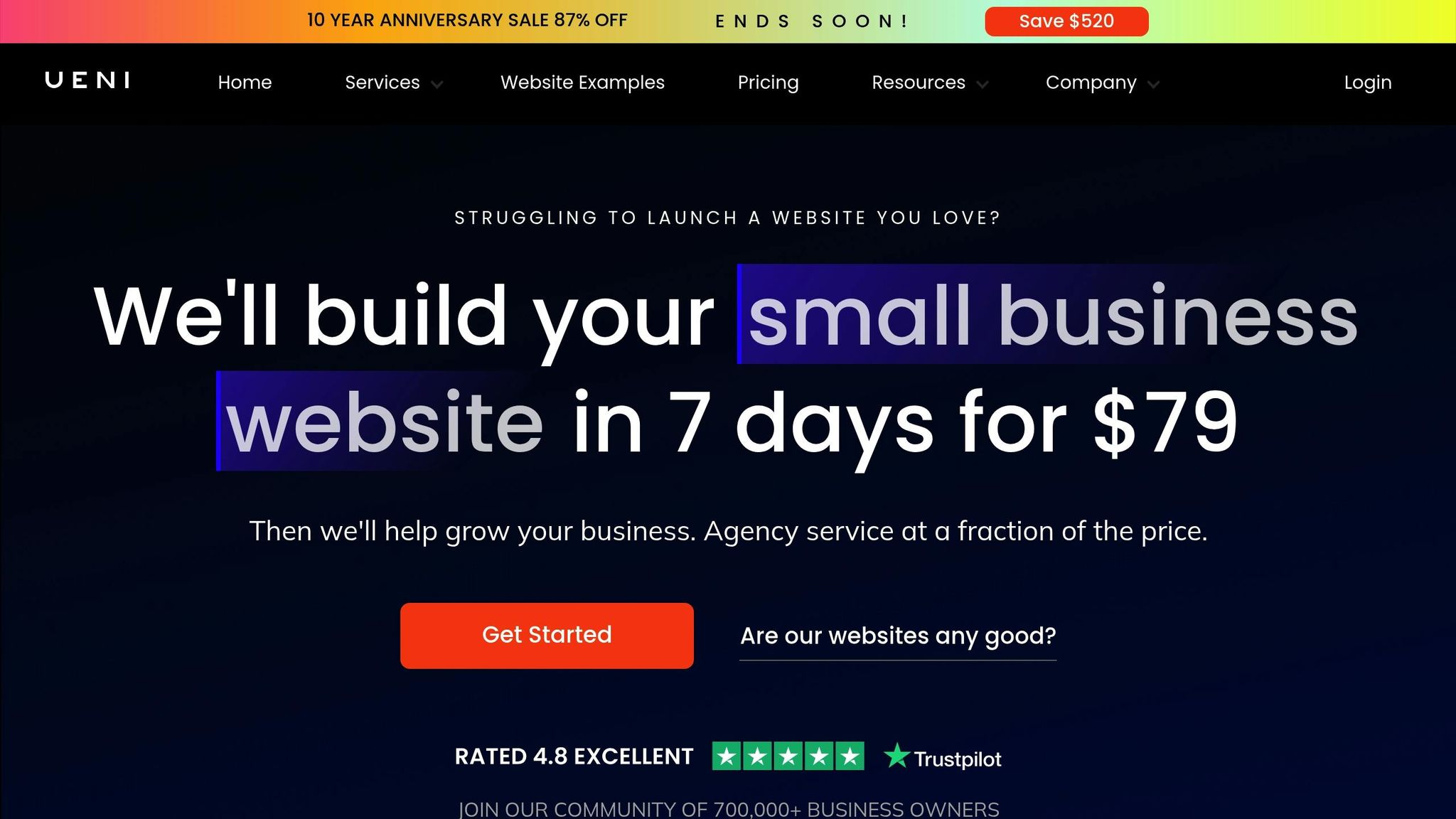
Pair OpenClaw with UENI for a complete digital operations makeover. UENI builds a professional online presence for your business, including a custom website, a verified Google Business profile, and optimized local search visibility. Meanwhile, OpenClaw processes the leads and inquiries your online presence generates. Together, they automate responses to website inquiries, create content from your completed projects, and deliver regular SEO performance updates straight to your inbox. This powerful combination lets you grow your online presence and manage operations seamlessly – no extra staff or lost personal time required.
FAQs
What tasks should I automate first with OpenClaw?
Start by focusing on automating tasks that eat up the most time and involve repetitive actions. Here are some examples:
- Customer support: Implement bots to handle FAQs, check order statuses, and escalate issues when needed.
- Appointment scheduling: Link tools like OpenClaw to Google Calendar to streamline bookings.
- Email management: Set up automation for sorting emails, drafting replies, and flagging urgent messages.
- Invoicing and expenses: Automatically generate invoices and keep track of expenses without manual input.
These solutions are easy to set up and can save you a ton of time.
What do I need to set up OpenClaw on my computer?
To get started with OpenClaw, make sure you’re running Node.js version 22 or higher. Once that’s sorted, you can install OpenClaw globally using either npm or pnpm. After installation, double-check that everything is set up correctly by verifying the installation.
For configuration, you have two options: use the onboarding wizard for a guided setup or opt for a one-liner command if you prefer a quicker approach. Whichever method you choose, keep security in mind. Watch out for potential risks like exposed ports and stick to recommended security practices to safeguard your setup.
How can I avoid exposing my OpenClaw instance online?
To ensure your OpenClaw instance stays secure, it’s best to bind the gateway to localhost (127.0.0.1) rather than 0.0.0.0. This limits access to the local machine. On top of that, configure your firewall to block direct access to OpenClaw ports. For an extra layer of security, use a reverse proxy with authentication.
You should also enable network isolation, set up firewalls like UFW, and consider running OpenClaw on a dedicated machine or VPS. Don’t forget to keep the software updated regularly to reduce potential vulnerabilities.