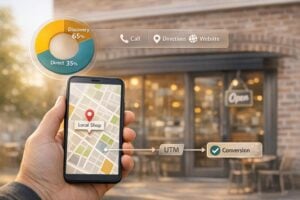
Want to attract more local customers? Start with Google Maps SEO. Nearly half of all Google searches are local, and 80% of those searches lead to conversions. If your business isn’t optimized for Google Maps, you’re missing out. Here’s how to fix that:
- Claim and Verify Your Google Business Profile: Boost visibility and credibility by verifying your profile. Verified businesses see 70% more visits.
- Keep NAP (Name, Address, Phone) Consistent: Mismatched details hurt rankings and trust. Ensure your info is accurate everywhere.
- Choose the Right Categories: Use specific categories that describe what your business is, not just what it offers.
- Add High-Quality Photos and Videos: Businesses with photos get 42% more direction requests and 35% more clicks.
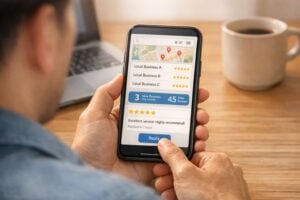
- Request and Respond to Reviews: Reviews improve rankings and build trust. Engage with both positive and negative feedback.
- Use Local Keywords in Your Description: Mention your city or neighborhood to rank higher for local searches.
- Embed Google Maps on Your Website: Connect your site to your Google profile and improve search visibility with schema markup.
These steps help your business rank higher, attract more customers, and convert local searches into sales.
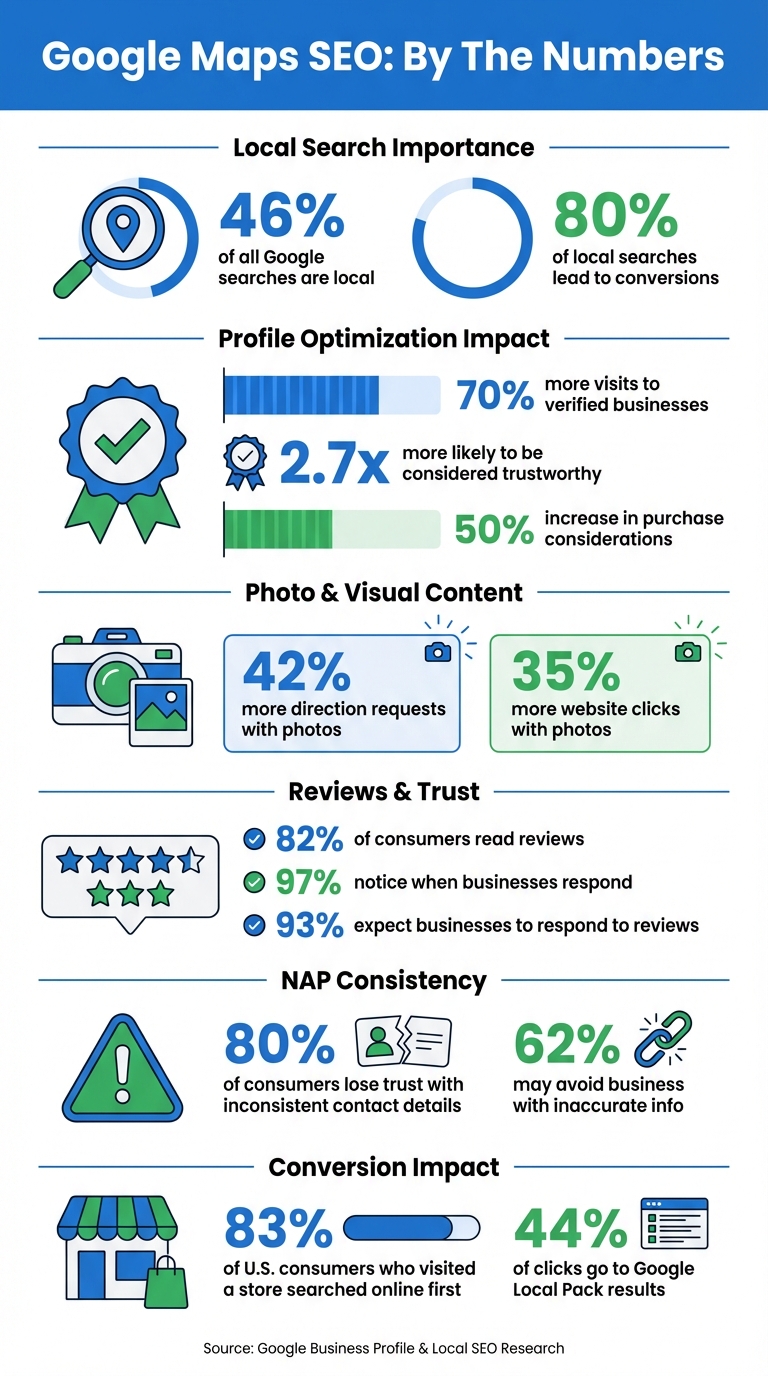
Google Maps SEO Statistics: Impact on Local Business Visibility and Conversions
1. Claim and Verify Your Google Business Profile
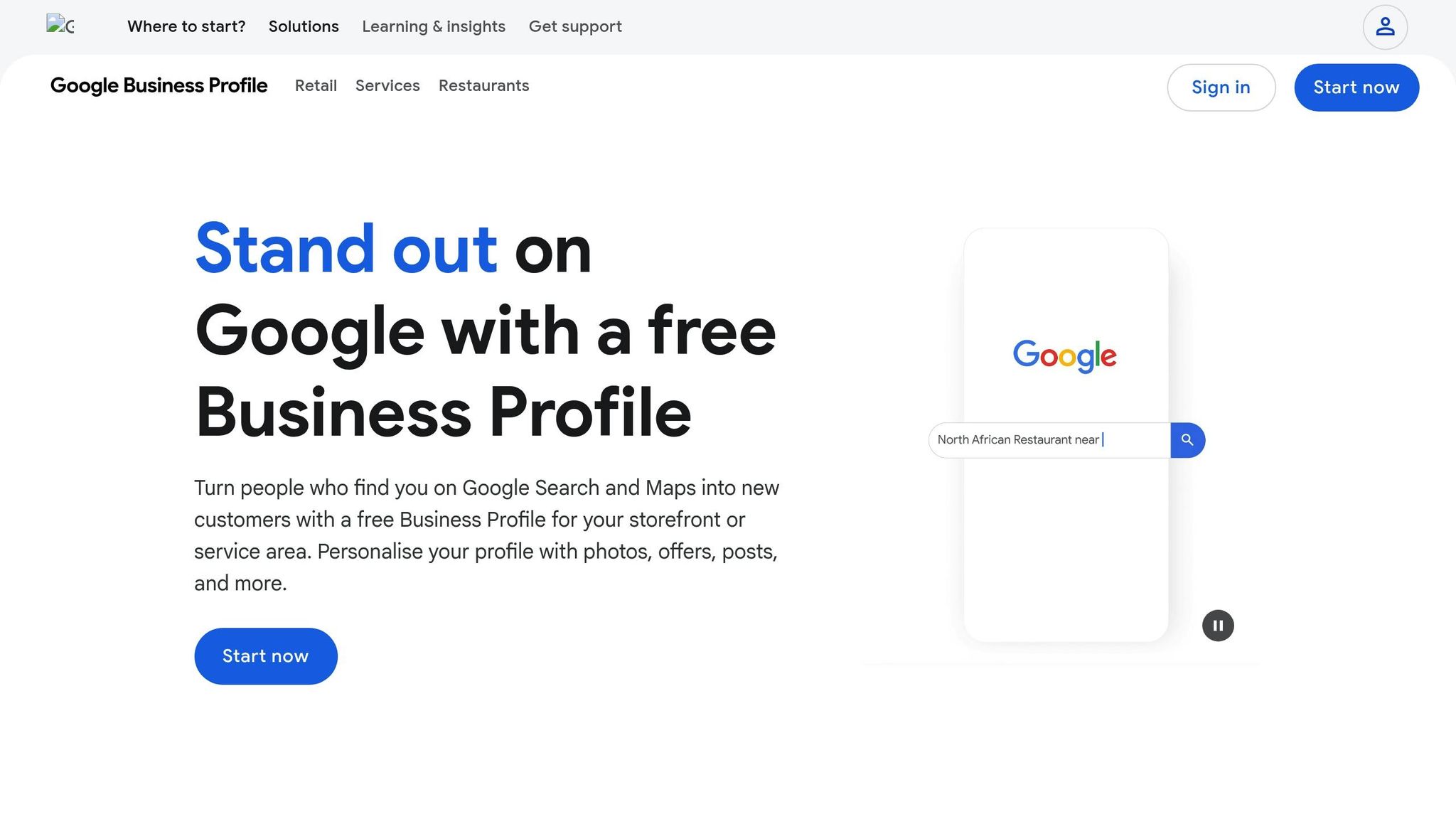
Your Google Business Profile is the cornerstone of your presence on Google Maps. Without claiming and verifying it, your business might as well be invisible to the 46% of Google searches that have local intent. Verification proves to Google that you’re authorized to manage your business, increasing the chances of your profile showing up in local search results and on Google Maps.
To claim your profile, head over to business.google.com/add. Google will verify your ownership, typically by sending a postcard with a 5-digit code. In some cases, they may verify via phone, text, email, or even a video call. Once verified, you gain control over your business information and access to Profile Insights, which provide valuable data about how customers find and interact with your business.
Let’s break down how verification can directly improve your local search performance.
Improves Local Search Visibility
A verified profile significantly boosts your chances of appearing in the Local Pack – the section that highlights three business listings on Google Maps and search results. This happens because Google prioritizes profiles with accurate and consistent NAP (Name, Address, Phone number) data, which you can manage once your profile is verified.
Builds Business Credibility
A verified and complete profile makes your business look more trustworthy. In fact, customers are 2.7 times more likely to trust your business when your profile is verified. This trust translates into tangible results, like 70% more in-person visits and a 50% increase in purchase considerations.
Drives More Foot Traffic and Conversions
Did you know 80% of local searches lead to a conversion? A verified profile lets you take full advantage of this by enabling features like responding to reviews, adding photos or videos, and updating your business hours. Keeping your profile complete and up to date ensures customers can rely on your information, driving more visits and actions.
2. Keep Your NAP Consistent Across All Platforms
Your business’s Name, Address, and Phone number (NAP) must be consistent across all online platforms – your website, Google Business Profile, Yelp, Facebook, and industry-specific directories. Why? Because consistent NAP information helps search engines see your business as trustworthy and reduces the chances of confusing your customers. This uniformity not only strengthens your online presence but also builds trust with potential customers.
Here’s a startling fact: 80% of consumers lose trust in a local business when they find inconsistent or incorrect contact details online. Even worse, 62% of consumers may avoid a business entirely if they come across inaccurate information.
To avoid these pitfalls, make sure your NAP details are completely accurate. Small variations like "St." versus "Street" are fine, but major errors – like an incorrect zip code or a missing digit in your phone number – are not. Create a master record as your go-to reference for all platforms. Your business name should match your physical signage, use a single primary local phone number (steer clear of toll-free numbers), and format your address exactly as it appears on your verified Google Business Profile.
Improves Local Search Visibility
Having consistent NAP data is one of the top five factors for ranking in both the Local Pack and organic search results. When search engines find mismatched information about your business, it weakens your ranking potential. This consistency is even more critical for voice search, where 80% of results come from the top three organic positions.
Builds Business Credibility
Beyond improving rankings, accurate contact information plays a major role in earning customer trust. Imagine a potential customer finding a wrong address or calling a disconnected phone number – they’ll likely move on to a competitor. In fact, 93% of consumers feel frustrated by incorrect details, and 52% are likely to leave a negative review when they encounter such issues.
To maintain a strong online presence, prominently display your accurate NAP details on your website. Tools like UENI (https://ueni.com) can simplify this process by creating professional, mobile-friendly websites that integrate local SEO features and ensure your contact information stays consistent across all platforms.
3. Choose the Right Primary and Secondary Categories
Your primary category has the biggest impact on your Google Maps ranking [18, 19]. It acts as the core of your Google Business Profile, clearly identifying what your business is and determining which searches you’ll show up for. Selecting the wrong primary category could mean missing out on the most relevant searches.
When choosing categories, stick to Google’s key principle: pick categories that describe what your business is, not what it offers. For example, if you run a pizza shop, go with "Pizza Delivery" or "Pizza Takeout" instead of a broad category like "Delivery Restaurant". Be specific – a "Pizza Restaurant" will always rank better for pizza-related searches than a generic "Restaurant" category. This precision not only improves your visibility but also helps attract the right customers.
Boosts Local Search Visibility and Encourages Customer Actions
The categories you select directly influence how your business ranks in local searches. Being specific gives you a better chance of appearing in searches like "Italian restaurant" or "tire shop" [17, 1]. To find the best match, conduct keyword research to identify high-traffic search terms related to your business. You can also analyze top-performing competitors using tools like the GMBspy Chrome extension.
As local SEO expert Miriam Ellis puts it:
"Choose wisely, and these elements help ensure Google views you as a candidate for possible inclusion as a result for a set of search phrases. Choose wrongly, and you can exclude yourself from this vital visibility."
– Miriam Ellis, Local SEO Subject Matter Expert, Moz
Your category choices also unlock features that can drive real customer engagement. For example, restaurants can display "Menu" buttons, beauty salons get "Booking" options, and hotels show star ratings [17, 18]. These features encourage immediate customer actions. In fact, businesses with a complete profile are 70% more likely to attract visits and 50% more likely to gain a purchase consideration. You can add up to nine secondary categories in addition to your primary one [18, 21], allowing you to expand your reach without losing focus. Just make sure to stick to the fewest categories needed to fully describe your business.
4. Upload High-Quality Photos and Videos of Your Location
After ensuring your business is verified and your NAP (Name, Address, Phone number) details are consistent, the next step is to focus on uploading high-quality visuals. Adding photos and videos not only enhances your Google Maps presence but also signals activity to Google, which can boost your ranking.
Regularly uploading images and videos improves your profile’s relevance and prominence on Google Maps. Google’s AI tools, such as the Cloud Vision API, analyze these visuals to better understand your business and connect you with relevant local searches. This creates a stronger foundation for attracting customer attention and engagement.
Increases Customer Engagement
High-quality visuals can significantly impact customer interaction. Businesses with photos see 42% more driving direction requests and 35% more website clicks. A complete profile with photos makes customers 2.7 times more likely to consider a business trustworthy. To quote Google:
"Businesses with photos are more likely to receive requests for driving directions to their location, as well as clicks through to their websites, than businesses that don’t have photos."
This highlights how visuals can influence customer behavior, making them more likely to visit your location or explore your services online.
Builds Business Credibility
Authentic photos play a key role in building trust. Google’s E-E-A-T (Experience, Expertise, Authoritativeness, Trustworthiness) criteria emphasize the importance of genuine visuals. Avoid using stock images; instead, showcase unique aspects of your business. For example, include photos of your team in action, completed projects, or products in stock. 68% of consumers trust customer-shared content more than business-provided information.
Images of uniformed staff or branded vehicles can also enhance credibility, aligning with Google’s trustworthiness standards. Ensure your photos are clear, well-lit, and unaltered by heavy filters or AI tools, as Google requires visuals to accurately reflect reality.
Drives More Foot Traffic or Conversions
Photos of your business exterior help potential customers locate you easily. To cover all bases, include at least:
- Three exterior photos from different angles
- Three interior shots showcasing your space and atmosphere
- Three images highlighting key products or services
Stick to recommended file formats like JPG or PNG, with sizes between 10 KB and 5 MB, and a resolution of at least 720 px x 720 px. For videos, keep them under 75 MB, 30 seconds long, and at 720p or higher. Remember, your visuals will only appear publicly after your Business Profile has been verified.
sbb-itb-5b82b38
5. Request and Reply to Customer Reviews
Once you’ve built a strong visual presence, the next step to boosting your local ranking is actively engaging with customer feedback. Reviews play a pivotal role in your Google Maps ranking by contributing to the "prominence" factor, which is influenced by the number of reviews and your average rating. But it’s not just about the numbers – Google’s algorithm also examines the content of reviews, looking for keywords, the frequency of new feedback, and overall sentiment. Actively managing your reviews can improve both your reputation and your SEO.
Improves Local Search Visibility
Reviews are a key driver of visibility – 82% of consumers read them, and local searches convert at an impressive 80%. Responding to reviews sends a clear signal to Google that your business is active and engaged, helping your profile stand out in search results. Google’s local ranking algorithm relies on three main factors: Proximity, Prominence, and Relevance. Review activity directly feeds into the Prominence factor, helping establish your business as trustworthy and relevant. Consistently managing reviews not only improves your ranking but also strengthens your connection with potential customers.
Builds Business Credibility
Engaging with reviews builds trust. In fact, 97% of readers notice when businesses respond to reviews, and they’re 1.7 times more likely to find those businesses trustworthy. Plus, businesses that regularly respond to reviews see customers spending 50% more with them. A mix of positive and negative reviews can actually work in your favor – what matters most is how you handle the feedback. When addressing negative reviews, avoid being defensive. Instead, apologize when needed, and offer to continue the discussion privately by providing your email or phone number. This approach matters: 62% of customers are willing to give a business a second chance if their concerns are resolved. Together with a verified profile and high-quality visuals, active review management completes a well-rounded local SEO strategy.
Drives More Foot Traffic or Conversions
Make it easy for customers to leave reviews by providing Google-generated links or QR codes on receipts and emails. However, avoid offering incentives like discounts or freebies for reviews – this violates Google’s policies and could lead to restrictions on your profile. Responding to reviews not only notifies customers but also encourages them to update their ratings or engage further. And don’t underestimate the importance of timeliness: 93% of consumers expect businesses to respond to their reviews, and 60% of reviewers expect a reply within two days or less. By staying responsive and engaged, you can turn reviews into a powerful tool for driving both foot traffic and conversions.
6. Write Your Business Description with Local Keywords
Your business description is your chance to tell both Google and potential customers exactly what your business does and where it operates. This 750-character section plays a key role in establishing relevance – one of the three primary factors (relevance, distance, and prominence) that Google uses to rank businesses locally. By including location-specific terms like your city or neighborhood, you strengthen your local SEO efforts, complementing your verified profile and consistent NAP (Name, Address, Phone Number). Using local keywords strategically can make a big difference in improving your visibility.
Improves Local Search Visibility
Did you know that nearly 46% of Google searches have local intent, and 84% target specific products or services? Including geographic terms – such as your city, neighborhood, or nearby landmarks – signals to Google that your business is relevant to local searches. For instance, instead of saying, "We offer landscaping services", you could write, "Family-owned landscaping company serving the North End neighborhood for over 15 years." This approach not only aligns your profile with searches like "landscaper in North End", but it also adheres to Google’s guidelines, which prohibit adding extra keywords to your business name field.
"Relevance is how well a Business Profile matches what someone is searching for. To help Google better understand your business and match it to relevant searches, provide complete and detailed business info." – Google Business Profile Help
Focus on long-tail keywords – specific phrases that include your location. These keywords often have lower competition and higher conversion rates. Make the most of the first 250 characters in your description, as this portion is typically visible before being truncated. Use this space to craft a concise, compelling pitch: highlight what makes your business stand out and emphasize your key services. Avoid stuffing your description with keywords, as this could lead to your profile being rejected.
Drives More Foot Traffic and Conversions
A well-written, locally focused description doesn’t just improve rankings – it also encourages more clicks by assuring potential customers that your business is nearby. Consider this: 83% of U.S. consumers who visited a store first searched online, and local searches convert at an impressive 80% rate. Additionally, businesses with complete profiles are 2.7 times more likely to be viewed as reputable and 70% more likely to attract in-person visits.
To stay compliant with Google’s guidelines, avoid including URLs, links, special promotions, or prices (e.g., "Everything 50% off") in your description. Instead, use this valuable space to share meaningful details about your services, mission, and what sets you apart in your community.
7. Add Google Maps to Your Website and Use Schema Markup
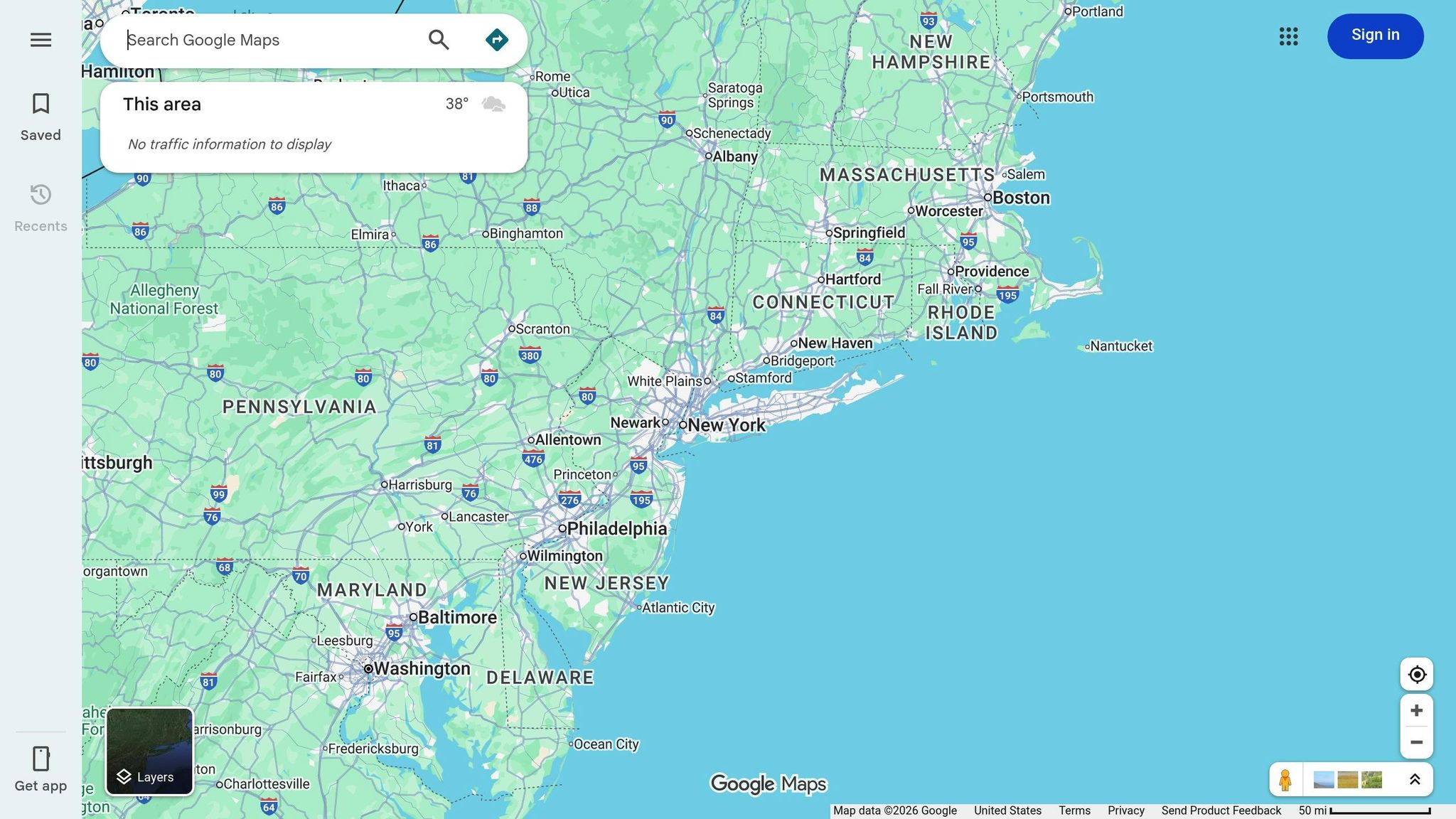
Embedding a Google Map on your website does more than just display your location – it signals to search engines that your business has a verified physical presence. When paired with LocalBusiness schema markup, it communicates key details like your address, operating hours, and coordinates, enhancing how search engines understand your business. This combination strengthens your online credibility and fosters stronger connections with your audience.
Improves Local Search Visibility
Integrating a Google Map with your site ties your website directly to your Google Business Profile, reinforcing the consistency of your Name, Address, and Phone number (NAP). This consistency helps search engines establish the geographical context of your business, which is critical for local search rankings. Considering that the Google Local Pack captures 44% of all clicks in local search results, ensuring your location is clear can significantly boost your visibility. Schema markup takes this a step further by offering structured data – like your exact address and operating hours – that search engines can easily process.
"When done correctly, an embedded map acts as a confirmation signal to Google, linking your website to your physical location and Google Business Profile." – Cary Byrd, CEO, CinchLocal
Increases Customer Engagement
An interactive map on your website is more than a convenience – it keeps visitors engaged. With features like nearby landmark exploration and route planning, users are more likely to stay on your site longer, reducing bounce rates and increasing dwell time – both of which are positive signals for Google’s ranking algorithm. For mobile users, the map offers the added benefit of one-tap navigation, making it easy for them to find you.
To embed a map, locate your business on Google Maps, click "Share", and select "Embed a map" to generate the HTML code. Place this code on high-traffic pages like your "Contact Us" or "About Us" page, where users naturally look for location details. For optimal performance, use lazy loading so the map only loads when visitors scroll to it, preventing it from slowing down your page speed. When adding schema markup, aim for specificity – use types like Restaurant or Dentist instead of the broader LocalBusiness. Include geo-coordinates to ensure precise map placement. Finally, test your implementation with Google’s Rich Results Test to ensure everything works seamlessly.
For small business owners seeking an easier solution, platforms like UENI (https://ueni.com) can help create mobile-friendly, SEO-optimized websites that integrate interactive maps and schema markup effortlessly.
| Schema Property | SEO Benefit |
|---|---|
name |
Helps identify your business in branded searches |
address |
Confirms your physical location for local search ranking |
geo |
Pinpoints your exact latitude and longitude for map accuracy |
hasMap |
Directly connects your website to your Google Maps listing |
Conclusion
Establishing a strong presence on Google Maps can turn local searches into actual visits and, ultimately, sales. The strategies outlined earlier align with the key factors Google considers when ranking local businesses: relevance (how well your profile matches search queries), distance (your proximity to users), and prominence (your online reputation through reviews and links). Together, these approaches form a well-rounded local SEO plan that helps Google understand and recommend your business.
Having a complete and optimized profile can significantly impact your business. For example, it can increase customer trust by 2.7 times and drive 70% more in-store visits. These numbers highlight how crucial it is to ensure your business stands out to potential customers in your area.
"Within the local search marketing framework, it’s the customer and their satisfaction that must be centered at every stage of on-and-offline promotion." – Miriam Ellis, Local SEO Subject Matter Expert, Moz
If managing these tasks feels overwhelming, UENI (https://ueni.com) offers a practical solution. For $79, they provide a professional, mobile-friendly website in just seven days, complete with SEO optimization, a verified Google Business profile, and schema markup integration. With a 4.8/5 "Excellent" rating on Trustpilot from over 700,000 business owners, UENI also offers a Business Hub to streamline managing your website, emails, bookings, and reviews.
To maximize your local visibility, keep your business information consistent across platforms, respond to reviews with professionalism, and ensure your website highlights your physical location using embedded maps and structured data. These steps not only enhance your credibility with Google but also increase foot traffic and customer inquiries, helping your business thrive in the local marketplace.
FAQs
Why is verifying my Google Business Profile important for local search rankings?
Verifying your Google Business Profile is an essential step to confirm that you own the business and to ensure all your details are correct and reliable. This not only builds trust but also helps Google recognize your business as legitimate, improving its chances of showing up in local search results.
A verified profile also enhances your opportunity to appear in the Google "Local Pack" – the prominent section that showcases top local businesses. This increased visibility can play a big role in improving your local SEO and drawing more customers to your business.
Why is it important to keep my business name, address, and phone number consistent everywhere?
Maintaining consistent name, address, and phone number (NAP) details across all platforms plays a key role in strengthening your local SEO efforts. Search engines like Google rely on this information to confirm your business’s legitimacy and provide accurate search results.
When your NAP details are consistent, it not only helps search engines but also builds trust with potential customers. This increases your visibility in local search results and on Google Maps, making it easier for people to find your business. The result? More traffic to your website or physical store, which can lead to higher engagement and sales.
How do customer reviews impact my Google Maps SEO?
Customer reviews play a major role in shaping your Google Maps SEO. They don’t just build trust with potential customers – they also enhance your business’s reputation and can impact your local search rankings. Google factors in reviews to gauge the quality and relevance of your business, which directly influences how visible you are in local search results.
Positive reviews serve as social proof, giving potential customers the confidence to choose your business. They can also drive higher click-through rates on your Google Maps listing. To leverage this, ask happy customers to share their experiences through reviews. And don’t stop there – responding to reviews professionally shows you’re engaged and helps strengthen trust.