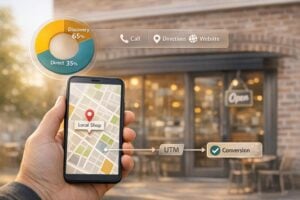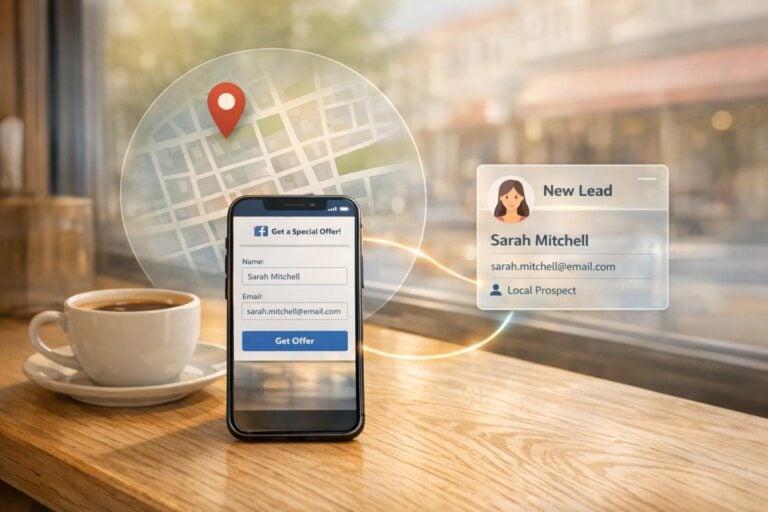
Facebook Lead Ads simplify collecting customer information by keeping everything within Facebook or Instagram. Here’s why they work:
- Instant Forms: Pre-filled forms with user data (name, email, phone) make sign-ups quick and easy.
- Mobile-Friendly: With 98.5% of users on mobile, these ads reduce drop-offs caused by switching to external websites.
- Cost-Effective: Generate 2–3x more leads at 30–50% lower costs compared to traditional landing page ads.
- Local Targeting: Pinpoint specific areas, like a one-mile radius, to reach nearby customers ready to act.
- Quick Follow-Up: Integrate with CRMs for instant lead notifications and faster conversions.
For local businesses, these ads are ideal for scheduling appointments, collecting quote requests, or building email lists. Success depends on precise targeting, clear CTAs, and fast responses.
What Are Facebook Lead Ads?
Facebook Lead Ads are a type of ad format designed to capture customer information directly on Facebook or Instagram, without requiring users to leave the platform. When someone clicks on one of these ads, an Instant Form appears within the app, pre-filled with details like their name, email, and phone number, pulled straight from their Meta profile.
This entire process stays within the platform, making it quick and effortless. Users can review the pre-filled information, make any necessary edits, and submit the form with just a tap. This streamlined approach has an 85% higher likelihood of generating cost-effective leads compared to ads that redirect users to a small business website. Considering that 98.5% of Facebook users access the platform via mobile, avoiding the hassle of manually entering details on a mobile device can lead to 2–3x more leads at 30–50% lower costs than traditional landing page campaigns.
For local businesses, this efficiency is a game-changer, turning casual interest into actionable leads with minimal effort. The smooth process also reduces drop-offs and improves data collection, as explained below.
Pre-Filled Forms Reduce Friction
One standout feature of Lead Ads is the automatic pre-filling of form fields with data from a user’s profile. This includes basic contact details, work information, and even location data.
Although users can edit most of the pre-filled details, certain fields, like the date of birth, remain locked. This mix of convenience and control leads to higher form completion rates and better-quality data. Interestingly, advertisers who request only an email address or only a phone number – rather than both – see 26% and 18% lower costs per lead, respectively.
Call-to-Action Buttons Enable Instant Submissions
The Call-to-Action (CTA) button is a key element of Lead Ads, as it prompts users to open the Instant Form. The choice of CTA text is critical – it needs to be clear and engaging to attract the right audience. Action-oriented options like "Get Quote" or "Sign Up" often outperform generic ones like "Learn More".
For instance, Moringa Project, a clean skincare brand, used a CTA offering a 15% discount on first orders. This approach helped them collect 1,100 email addresses at a cost of just $2.07 per lead.
Similarly, Bior Cucine, a kitchen design showroom, offered a free kitchen redesign rendering. This campaign generated over 100 leads at a cost of less than $7 per lead.
sbb-itb-5b82b38
Why Local Businesses Should Use Facebook Lead Ads
Facebook Lead Ads offer local businesses a powerful way to connect with nearby customers and collect their information when they’re most interested. Unlike traditional ads that often target broad audiences, this format focuses your budget on people who are actually in your area – those who can visit your store, book a service, or make a call.
What makes this tool so effective? The entire process happens within Facebook or Instagram. Users don’t have to deal with slow-loading websites, fiddly mobile keyboards, or switching between apps. For businesses working with tight budgets, this seamless experience can mean more leads at a lower cost.
The platform also excels in geographic targeting. You can zero in on people within a one-mile radius of your business. Considering that 72% of users who perform a local search visit a store within five miles, this hyper-focused approach is ideal for restaurants, salons, home repair services, and other local providers.
Target Specific Geographic Areas
Facebook’s location tools allow you to pinpoint exactly where your best customers are. Instead of casting a wide net across an entire city, you can narrow your focus to a one-mile radius around your business or specific neighborhoods that bring in the most loyal customers. To avoid wasting impressions on people just passing through, use the "People living in this location" filter instead of "Everyone in this location". You can even add multiple one-mile pins around key ZIP codes for highly targeted campaigns.
Little Cedar Café, a cozy brunch spot with just 40 seats, swapped its broad 6-mile targeting radius for three 0.6-mile pins based on data from its loyalty program. They added a "Foodie" interest filter and offered a free croissant through an Instant Form. The result? Over three weeks, they collected 312 qualified leads at $1.82 each, achieved a 4.8% click-through rate, and generated $5,900 in additional revenue. Plus, 42% of those leads booked a table within two weeks.
Businesses that use geo-optimized custom audiences have reported up to three times better ROI compared to broader targeting. Pairing this precise targeting with a local incentive – like a voucher or free consultation – can lower your cost per lead by roughly 25%.
This kind of geographic precision doesn’t just help you reach more local customers; it also simplifies the path to conversion.
Higher Conversion Rates with Fewer Steps
For local businesses, every step in the customer journey matters. Redirecting users to external websites or asking them to fill out lengthy forms on a small screen can cause many to lose interest. Facebook Lead Ads eliminate these hurdles.
This simplicity is why Lead Ads are 85% more likely to generate cost-effective leads compared to ads that direct users to a website form. By keeping everything on the platform and reducing manual entry, you capture interest at its peak.
Speed is also key. Leads contacted within five minutes of submission are nine times more likely to convert than those reached after 30 minutes. With Facebook Lead Ads, you can integrate directly with your CRM system, ensuring that potential customers are contacted promptly – while your business is still fresh in their minds.
How to Set Up Facebook Lead Ads
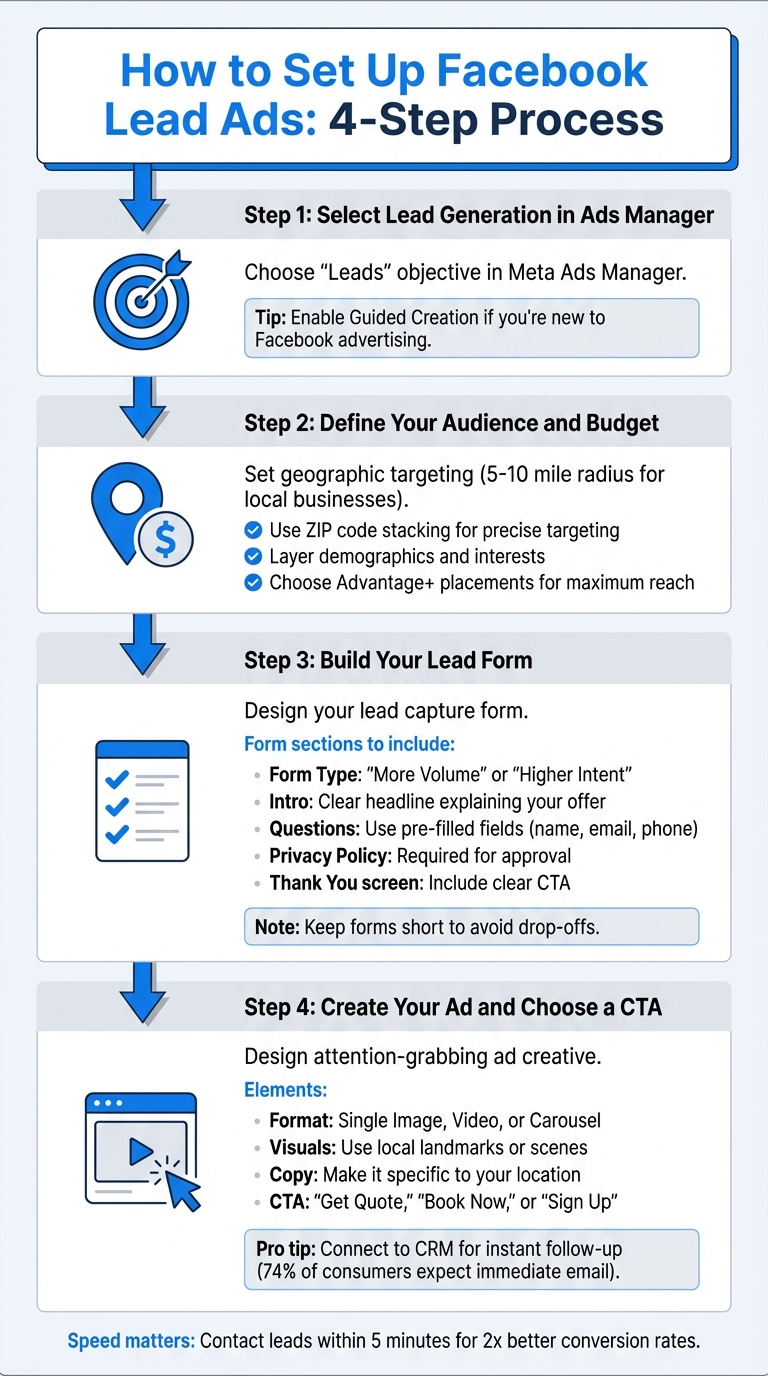
How to Set Up Facebook Lead Ads in 4 Steps
Before diving into the setup process, make sure to review and accept the Facebook Lead Ads Terms for your Page. This step is essential before you can launch your campaign in Meta Ads Manager. Setting up your campaign involves four main steps: selecting your campaign objective, defining your audience and budget, creating the lead form, and designing the ad itself. Each step plays a key role in determining the success of your campaign, so it’s worth getting the details right.
Quick tip: Design everything with mobile users in mind. Studies show that companies reaching out to leads within the first hour are seven times more likely to qualify them. Speed matters!
Step 1: Select Lead Generation in Ads Manager
Start by opening Meta Ads Manager and creating a new campaign. When asked to choose an objective, select "Leads" (formerly known as "Lead Generation"). If you’re new to Facebook advertising, enable Guided Creation. This feature walks you through the process step by step, helping you avoid common errors. Once your objective is set, move on to customizing your audience and budget.
Step 2: Define Your Audience and Budget
The next step is to define who sees your ads and how much you’re spending. Start by setting a geographic location. For local businesses, targeting a 5–10 mile radius around your physical location often works well. If you serve specific neighborhoods, consider using ZIP code stacking, which allows you to target multiple ZIP codes instead of a broad area. This ensures your budget is focused on areas you can actually serve.
Refine your audience further by layering in demographics and interests. For instance, if you own a pet grooming salon, you might target people aged 25–55 who are interested in pet care or animal shelters. You can also use Lookalike Audiences to find users similar to your best customers or Custom Audiences to retarget website visitors.
When setting your budget, decide between a daily or lifetime budget. Using Advantage+ campaign budget can help Facebook allocate funds across ad sets for better performance. For placements, choose Advantage+ placements to automatically run your ads across Facebook, Instagram, and Messenger, maximizing your reach.
With your audience and budget ready, it’s time to build the lead form.
Step 3: Build Your Lead Form
The lead form is where you’ll collect user information, so it’s crucial to design it carefully. Start by choosing a form type: "More Volume" for a higher quantity of leads or "Higher Intent" to focus on more serious prospects.
In the Intro section, craft a clear headline and description that highlight your offer. For example, "Get a Free Quote on Your Kitchen Remodel" or "Download Our Guide to Spring Lawn Care" instantly communicates value.
Under Questions, use prefilled fields for basic details like name, email, and phone number. These fields are auto-filled from the user’s profile, reducing effort and increasing completion rates. If needed, add one or two custom questions to qualify leads further, such as "What service are you interested in?" or "When do you plan to start?" Keep the form short to avoid drop-offs.
Don’t forget to include a link to your privacy policy – this is mandatory for approval. Finally, customize the "Thank You" screen with a clear next step, like a CTA button that says "View Website", "Download", or "Call Business." If you don’t have a site yet, you can get a professional website quickly to handle these leads.
| Form Section | Purpose | Key Requirement |
|---|---|---|
| Form Type | Sets the goal of the form | Choose "More Volume" or "Higher Intent" |
| Intro | Explains the offer | Headline with an optional image |
| Questions | Gathers lead information | Include at least one question |
| Privacy Policy | Ensures compliance | Provide a valid URL |
| Completion | Guides the next action | Add a CTA button and link to your offer |
Once your form is complete, you’re ready to create the ad that will drive traffic to it.
Step 4: Create Your Ad and Choose a CTA
Now it’s time to design the ad itself. Choose a format – Single Image, Video, or Carousel – and use visuals that grab attention. For local businesses, images featuring familiar landmarks or local scenes can help establish trust. For instance, a bakery might showcase its best-selling cake with a city skyline in the background, while a plumber could use a photo of a recognizable local neighborhood.
Write ad copy that speaks directly to your audience. Instead of something generic like "Professional Landscaping Services", try a more specific approach: "Free Lawn Estimate for [City Name] Homeowners." This makes the ad feel more relevant and personal.
Finally, pick a CTA button that matches your offer. Options like "Get Quote", "Book Now", or "Sign Up" work well, as they clearly guide users on what to do next, whether it’s scheduling a consultation, claiming a discount, or downloading a resource.
For best results, connect your form to a CRM through tools like LeadsBridge or Zapier. This ensures you can follow up promptly. Keep in mind that 74% of consumers expect an email immediately after signing up, so automating responses can greatly improve your conversion rates.
Best Practices for Managing Local Leads
Launching Facebook Lead Ads is just the first step. The real work begins with managing and following up on those leads to turn them into customers. Here’s how to make sure every local lead gets the attention it deserves.
Use Location Targeting to Reach Local Customers
Reaching the right audience starts with precise location targeting. Facebook lets you narrow your focus by country, region, city, ZIP code, or even a specific address with a radius as small as one mile.
Want to save on acquisition costs? Try ZIP code stacking. This technique can cut costs by 20–40%. Keep an eye on performance by ZIP code, and exclude areas that consistently bring in low-quality leads or poor conversion rates. To make your ads feel more personal, include local references like street names, well-known landmarks, or neighborhood-specific language.
Once you’ve fine-tuned your location settings, the next step is ensuring your team can follow up quickly.
Connect Lead Data to Your CRM for Fast Follow-Up
When it comes to local leads, speed is everything. Reaching out to a lead within five minutes can double your chances of conversion compared to waiting just 30 minutes. To make this happen, integrate your Lead Ads with a CRM. This eliminates the hassle of manual CSV downloads and ensures your sales team gets the lead data instantly.
Platforms like HubSpot and Zoho CRM offer native integrations with Facebook Lead Ads, syncing data within 5–15 minutes. If you need even faster results, tools like Zapier or LeadsBridge can deliver leads in real time – often within seconds. Before launching your campaign, use Facebook’s Lead Ads Testing Tool to ensure all data maps correctly to your CRM fields.
Once your CRM is set up, create automated notifications – via email, SMS, or Slack – to alert your team the moment a lead submits a form. For leads not ready to act immediately, set up automated drip email campaigns to keep your business on their radar. Also, consider aligning your ad schedule with your team’s availability to ensure timely follow-ups.
Track Key Metrics to Optimize Campaigns
Tracking performance metrics is essential to improving your campaigns. While Cost Per Lead (CPL) is a good starting point, it doesn’t tell the full story. Focus on Cost Per Qualified Lead (CPQL) to understand how much you’re spending to attract leads that actually meet your criteria. Additionally, monitor your Contact Rate (the percentage of leads you successfully reach) and Lead-to-Customer Rate to evaluate your sales process.
| Metric | Calculation | Why It Matters |
|---|---|---|
| Cost Per Lead (CPL) | Total Spend / Total Leads | Measures campaign efficiency |
| Contact Rate | Leads Contacted / Total Leads | Reflects data quality and accuracy |
| Cost Per Qualified Lead (CPQL) | Total Spend / Qualified Leads | Shows the cost of acquiring viable prospects |
| Lead-to-Customer Rate | Total Customers / Total Leads | Tracks overall funnel and sales success |
Adjust your lead forms for better results. Adding extra fields can drop completion rates by 4–7%, but using manual contact fields can increase contact rates by over 50%. If you’re dealing with too many low-quality leads, switch to a "Higher Intent" form type. While this may reduce the number of leads by 20–40%, it often results in better engagement.
Conclusion
Facebook Lead Ads streamline local lead generation while boosting conversion rates. With features like pre-filled forms and mobile-friendly design, these ads are shown to be 85% more cost-effective than traditional website forms. Success stories, such as those from Moringa Project and Bior Cucine, highlight how effectively these ads can deliver low-cost, high-quality leads.
To make the most of Facebook Lead Ads, quick follow-up and smart optimization are essential. Integrating your leads into a CRM system ensures timely responses, which can dramatically improve results – contacting leads within an hour can increase qualification rates by up to seven times. By experimenting with form lengths, analyzing performance metrics, and leveraging Facebook’s massive mobile audience, businesses can transform these leads into loyal, local customers.
Additionally, a professional online presence enhances credibility and trust. A compliant Privacy Policy and a well-designed website give potential customers confidence in your business.
If you’re looking to establish or improve your online presence, UENI offers professionally designed, mobile-friendly websites in just seven days. Their service includes custom domains, SEO optimization, verified Google Business profiles, and all the legal pages you need to run compliant campaigns. Starting at $24.99 per month with a 30-day money-back guarantee, UENI makes it easy to get your business online and ready to launch Facebook Lead Ads.
Get started today – set up your first Facebook campaign, connect your CRM, and start growing your local customer base!
FAQs
How many form fields should I ask for?
To get more people to complete your form, stick to the basics. Ask only for the essential details needed to qualify and contact prospects – usually just their name, email address, and phone number. A simple form means less hassle, which makes it more likely that leads will share their information.
How do I stop low-quality leads?
To cut down on low-quality leads from Facebook Lead Ads, fine-tune your audience targeting. Focus on specific locations, age groups, and interests that align with your ideal customer profile. Incorporate BANT criteria – Budget, Authority, Need, and Timeline – into your lead forms by adding qualifying questions. This helps identify prospects with serious intent.
You can also include open-ended questions in your forms to better gauge interest and weed out unengaged leads. Finally, make it a habit to regularly review and adjust your campaign settings to ensure you’re consistently attracting leads who are genuinely interested.
What’s the fastest way to follow up?
Automating your follow-up process is the fastest way to connect with leads generated through Facebook Lead Ads. By integrating your lead collection with a CRM or email platform, you can ensure immediate responses. Instant forms within lead ads make this process even smoother, as they allow for quick submissions. This setup lets you respond right away – whether through automated messages or manual outreach – minimizing delays and boosting your chances of turning leads into customers.