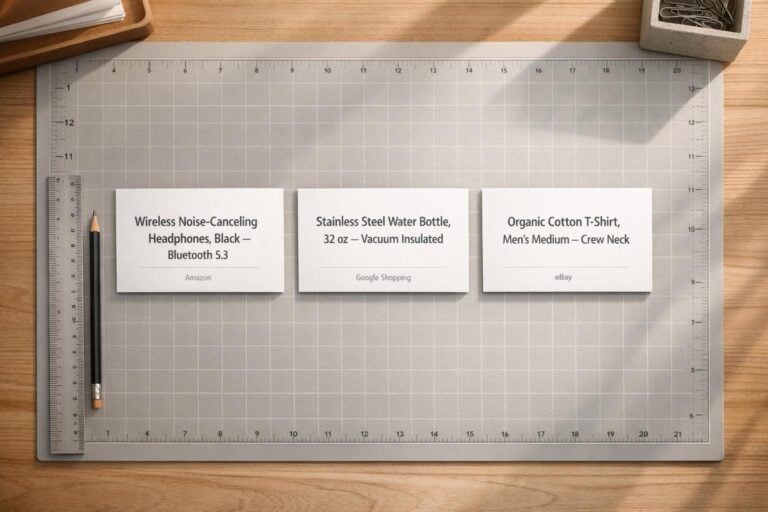
Product title optimization is the key to improving your product’s visibility, click-through rates, and sales. A strong title grabs attention, incorporates relevant keywords, and provides essential details that help both shoppers and search engines understand your product. Here’s the essence of creating effective product titles:
- Start with the brand name: Builds trust and recognition.
- Highlight the product type: Clearly describe what you’re selling.
- Include key features: Standout qualities like size, color, or material.
- Optimize for platforms: Follow specific rules for Amazon, Google Shopping, and eBay to avoid truncation or penalties.
- Keep it concise: Prioritize critical details within the first 70 characters.
A great title isn’t just descriptive – it’s your chance to stand out in crowded search results. Follow these steps, avoid keyword stuffing, and test regularly to see what works best for your audience.
What Makes a Good Product Title
A well-crafted product title is like a mini advertisement, designed to grab attention and provide essential details at a glance. The best titles follow a clear structure, incorporating four key elements: brand name, product type, key features, and variants. Research shows that 93% of top-selling product titles start with the brand name, and when a title matches a user’s exact search terms, the click-through rate can increase by up to 88%.
Since most marketplaces only display the first 70 characters of a title in search results, it’s crucial to prioritize the most important information. A simple yet effective formula to follow is: Brand → Product Type → Key Features/Attributes (like size, color, or material). Let’s break down these elements to maximize the impact of your product titles as part of your SEO for small businesses.
Brand Name
Starting with your brand name isn’t just about recognition – it’s about trust. Shoppers are more likely to click on listings from brands they know, and even if your brand is less established, leading with your name helps build credibility. In a crowded marketplace, this small step can make your product stand out as shoppers quickly scan through options, helping you rank higher locally and attract more customers. Once you’ve established your brand, the next step is to clearly identify what you’re selling.
Product Type
Think of the product type as the headline of your listing. Clear descriptions like “Wireless Headphones,” “Running Shoes,” or “Dining Table” help both shoppers and search engines understand exactly what you’re offering. Search engines rely on this information to match your product with relevant queries. If the product type is unclear, your item risks being overlooked. To cover a broader range of searches, consider using common synonyms or alternate terms (e.g., “flash drive” and “USB stick”).
Key Features
Once you’ve established the brand and product type, highlight the features that set your product apart. These could include technical specifications, unique benefits, or standout qualities like “waterproof,” “lightweight,” or “noise-cancelling”. For example, instead of a generic title like “Nike Running Shoes,” aim for something more descriptive like “Nike Air Zoom Pegasus 40 Men’s Running Shoes – Lightweight Breathable Mesh.” Including specific details not only builds shopper confidence but also emphasizes the unique value of your product.
Variants (Size, Color, Material)
Details like size, color, and material are essential for helping shoppers find exactly what they’re looking for. For instance, if someone searches for a “black leather wallet size 4 inches,” they expect to see those attributes clearly listed in the title. Leaving out such information can confuse shoppers and lower conversion rates. Use numerals (e.g., “Size 10”) for clarity and keep parent titles general for products with multiple variations, adding specific details to individual listings instead.
| Product Category | Recommended Title Structure |
|---|---|
| Apparel | Brand + Product Type + Gender/Age + Material + Color + Size |
| Electronics | Brand + Product Type + Technical Specs + Key Feature + Color/Variant |
| Furniture | Product Type + Main Material + Key Feature + Color/Finish + Dimensions |
| Health & Beauty | Brand + Product Type + Key Benefit + Size/Volume |
| Pet Supplies | Brand + Product Name + Animal Type + Key Feature + Count/Size |
sbb-itb-5b82b38
Platform-Specific Title Requirements
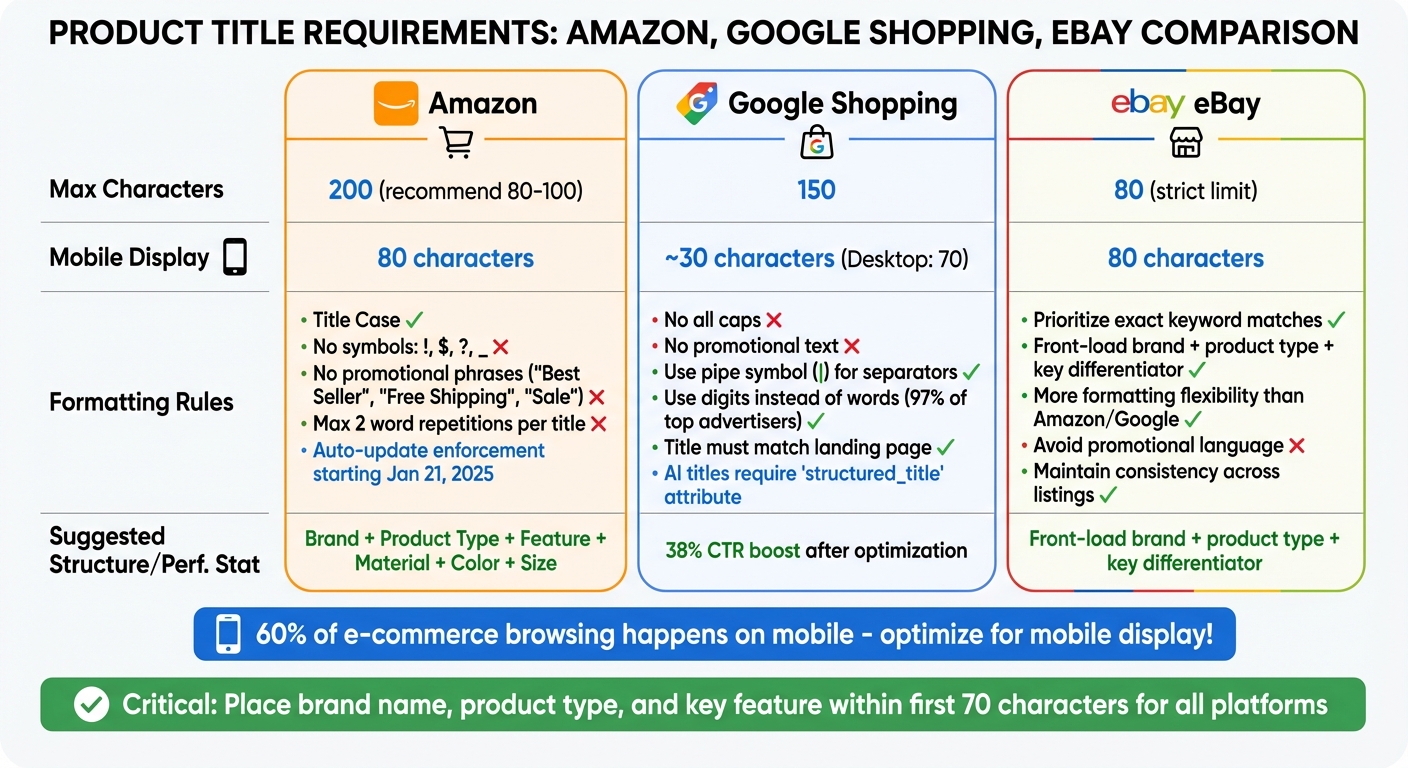
E-commerce Platform Product Title Requirements Comparison Chart
Each e-commerce platform has its own set of rules for product titles, and understanding these differences can significantly improve your product’s visibility. Optimized titles can increase click-through rates by 20% to 40%, while non-compliant titles risk being hidden or automatically altered.
One major hurdle is mobile truncation. With over 60% of e-commerce browsing happening on mobile devices, your title must fit within limited display space. For instance, Amazon shows only the first 80 characters on mobile, while Google Shopping truncates titles to about 30 characters on mobile and 70 on desktop. This means your brand name, product type, and key feature need to appear within the first 70 characters. Below, we’ll explore title rules for major platforms to help you tailor your listings effectively.
Amazon Title Rules
Amazon allows up to 200 characters for product titles, but recommends keeping them between 80 and 100 characters for better readability. Its A9 algorithm heavily relies on your title for product matching, so every word matters.
Amazon enforces strict formatting requirements. Titles must use Title Case (capitalize the first letter of each word) and avoid symbols like !, $, ?, or _ unless part of your registered brand name. Promotional phrases such as "Best Seller", "Free Shipping", or "Sale" are prohibited and could lead to listing suppression. Additionally, word repetition is limited to twice per title, excluding articles, prepositions, and conjunctions. Starting January 21, 2025, non-compliant titles will be automatically updated if changes aren’t made within a 14-day grace period.
Suggested structure: Brand + Product Type + Feature + Material + Color + Size.
For example, in electronics: Brand + Series/Model + Features + Quantity + Color.
Google Shopping Title Rules
Google Shopping allows titles up to 150 characters, but they often truncate to 70 characters on desktop and 30 on mobile. This makes it crucial to front-load your most important information. One agency reported a 38% boost in click-through rates after optimizing Google Shopping feed titles.
Professional and editorial-style formatting is required. Avoid using all caps or promotional text such as pricing or sales announcements. The pipe symbol (|) is recommended for separating details, as it saves space. Interestingly, 97% of top advertisers use digits instead of words (e.g., "2" instead of "two") to enhance readability and conserve space.
For AI-generated titles, Google now requires the structured_title attribute instead of the standard title field. Additionally, ensuring your product title matches the title on your landing page helps establish relevance and build trust.
eBay Title Rules
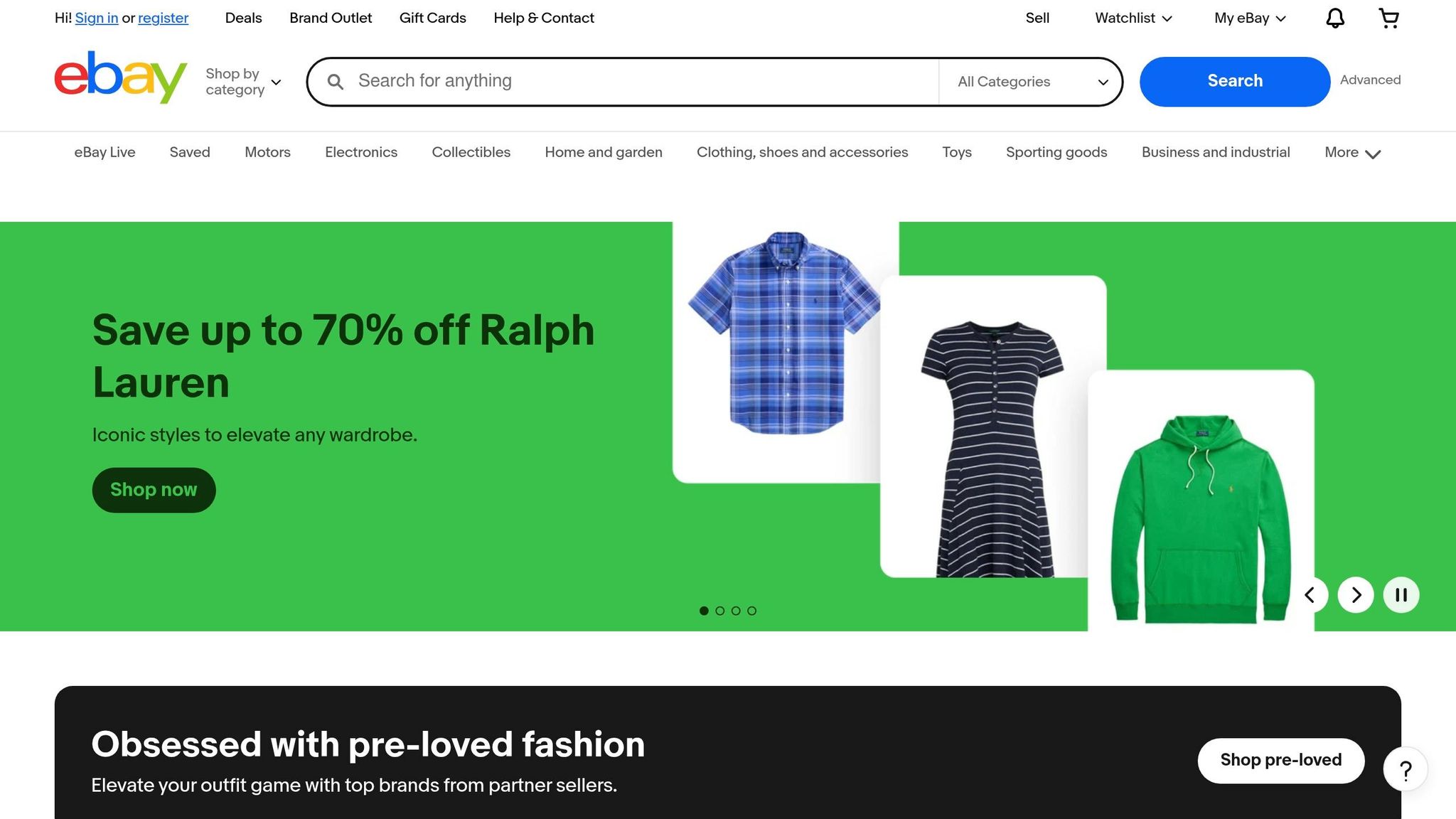
eBay has a strict 80-character limit for product titles, so every word counts. Essential details like the brand name, product type, and key differentiator should appear at the beginning. eBay’s search algorithm prioritizes exact keyword matches, so clear and descriptive language is crucial. While eBay offers more flexibility in formatting compared to Amazon and Google Shopping, avoiding promotional language and maintaining consistency across your listings can help build buyer confidence.
| Platform | Max Characters | Mobile Display Limit | Key Formatting Rule |
|---|---|---|---|
| Amazon | 200 (80–100 recommended) | 80 characters | Title Case; no promotional phrases; max 2 word repetitions |
| Google Shopping | 150 | ~30 characters | No promotional text; use pipes ( |
| eBay | 80 | 80 characters | Focus on exact keyword matches; avoid promotional language |
How to Write Better Product Titles
Crafting a product title is all about striking the right balance between what shoppers want to see and what search algorithms need to index. Here’s a breakdown of strategies to create titles that work for both.
Where to Put Keywords
Start by placing your brand name and primary keyword within the first 40–60 characters. Why? Mobile shoppers tend to focus on this range, and search algorithms assign the most weight to these initial characters.
A good formula to follow is: Brand + Main Keyword + 2–4 supportive keyword groups. These groups can highlight features, use cases, or intended audiences. For instance, instead of writing "Running Shoes Nike Blue Size 10", try "Nike Air Zoom Pegasus 40 Running Shoes, Men’s Size 10, Blue." This structure uses separators like commas, hyphens, or pipes to keep the title organized and easy to read for both people and algorithms.
When researching keywords, build a keyword bank to identify unique terms and eliminate duplicates. For example, if you’ve already used "Running Shoes", skip redundant phrases like "Shoes for Running." This saves space for unique details like material or cushioning type. Sellers often see a 5% to 18% boost in organic impressions within 14 to 28 days after optimizing their titles.
Now, let’s look at mistakes to avoid when adding keywords.
Don’t Overload with Keywords
Stuffing your title with keywords can hurt clarity and reduce conversions. Think of your title as prime real estate – every word should matter. As the team at SellerSprite explains:
"Treat your title as keyword real estate. Use most of the allowed characters, but prioritize relevance. Removing one misleading word can improve conversion more than adding three extra keywords".
Avoid repeating the same keyword multiple times. For example, instead of "Wireless Headphones Bluetooth Headphones Over Ear Headphones Noise Cancelling", go with "Sony WH-1000XM5 Wireless Bluetooth Headphones, Over-Ear, Noise Cancelling, 30-Hour Battery." This approach is clear and concise.
Accuracy is more important than keyword quantity. If a keyword doesn’t accurately describe your product, leave it out – it can hurt trust and lead to higher return rates. Misspellings and alternate keyword variations? Move them to backend search fields instead of cluttering your title.
Keep Formatting Consistent
Consistency in formatting builds trust and improves search visibility. Using a clean, uniform format across all product titles helps search engines index your items properly and makes it easier for customers to compare products.
- Always use Title Case – capitalize the first letter of each word except for prepositions and articles.
- Use numerals instead of spelling out numbers. For instance, write "3 oz" instead of "three ounces" or "4K UHD" instead of "4K Ultra High Definition." Studies show that 97% of top-performing product titles use digits instead of spelled-out numbers.
- Stick to consistent separators like commas, hyphens, or pipes throughout your catalog.
- Avoid decorative characters or emojis – they can make your title look unprofessional.
When your titles exactly match a user’s search query, click-through rates can jump by as much as 88%. Clean, consistent formatting makes these matches far more likely.
How to Optimize Your Product Titles (Step-by-Step)
Here’s a straightforward guide to fine-tuning your product titles for better visibility and performance.
Step 1: Research Keywords and Check Competitors
Start by diving into keyword research. Focus on finding purchase-ready keywords, which are the terms people use when they’re prepared to buy, not just browsing. Tools like Google Keyword Planner, Ahrefs, or Google Trends can help you identify keywords with good search volume and lower competition. Also, take a close look at your competitors’ product listings to see which keywords they’re using effectively. If you’re running Google Ads, your Search Terms Report is a goldmine – it shows the exact phrases customers type before clicking on your ads.
For example, in some niches, customers may search for "sofa" more often than "couch." Understanding these nuances can make your titles more relevant. Build a keyword bank by collecting relevant terms and grouping them into categories like Features, Use Cases, and Target Audience. This method ensures you’re covering all bases without repeating the same terms too often.
One example of success: a marketing agency saw a 38% increase in click-through rate after optimizing product feed titles using this research approach.
Step 2: Write Your Title Using Templates
Once you have your keywords, use category-specific templates to create clear and consistent product titles. Here are a few examples of templates tailored to different product types:
| Category | Template Structure | Example |
|---|---|---|
| Apparel | Brand + Gender + Product Type + Material + Color + Size | Adidas Women’s Running Jacket, Blue, Lightweight, Medium |
| Electronics | Brand + Model + Product Type + Key Specs | Samsung 55" 4K Smart TV, QLED, HDR, Dolby Atmos |
| Furniture | Product Type + Material + Key Feature + Color + Size | Wooden Dining Table, Solid Oak, 6-Seater, 71 in |
| Health & Beauty | Brand + Product Type + Key Benefit + Size | BrandX Moisturizing Face Cream, Anti-Aging, 2 oz |
Make sure the brand name and primary keyword appear within the first 60–70 characters to avoid truncation on mobile devices. Use separators like commas, hyphens, or pipes to keep your title neat and easy to scan. Avoid unnecessary details like internal SKU codes or technical jargon that customers wouldn’t search for.
In one case study, optimized, detail-rich titles led to a 139% increase in organic shopping revenue and nearly doubled organic clicks in just five weeks.
Step 3: Test and Improve Your Titles
Think of optimization as an ongoing process. Use your analytics dashboard to track click-through rates and sales conversions to see how your titles are performing. Start testing with your top-selling or high-margin products for maximum impact.
Make changes gradually. Adjust only one element at a time – like adding a descriptive word or reordering keywords – and allow 1 to 3 weeks to gather enough performance data before making further tweaks. Google Merchant Center’s custom labels can help you split your inventory into test groups, making it easier to compare different title structures.
Ken Zhou, COO of My Amazon Guy, emphasizes:
"Shoppers often only scan the first few words of a product title, so if your title isn’t structured well, you risk them missing essential information".
Once your updated titles are live, keep monitoring their performance. Refresh your titles monthly or during seasonal trends. For instance, adding phrases like "Christmas Gift" or "Back to School" at the right time can help you capture trending searches. Small business owners who regularly optimize their titles often see a 5% to 18% boost in organic impressions and a 2% to 8% improvement in click-through rate within the first month. Keep refining your titles to stay ahead of search trends.
Common Product Title Mistakes to Avoid
Crafting effective product titles is essential, but steering clear of common pitfalls is just as important for maintaining clarity and boosting performance.
Even small mistakes in your product titles can hurt both visibility and sales. One major misstep is overusing keywords – Amazon now limits words to two appearances per title, and even treats plurals like "pan" and "pans" as the same word. Another frequent issue is "spec dumping," where sellers overload titles with technical details like model numbers, dimensions, or material codes. These belong in the product description, not the title.
Gimmicky formatting is another trap to avoid. Using ALL CAPS, exclamation marks, special characters like $, ?, or emojis often violates platform rules and can lead to listing disapproval. In fact, Amazon reduced its title character limit from 500 to 200 in January 2025 and now automatically adjusts titles that don’t comply. Additionally, promotional language is prohibited, and using it can result in account suspension for misrepresentation.
For smaller or lesser-known brands, leading with the brand name is often a mistake. Shoppers tend to scan the first four to six words of a title, so it’s better to prioritize descriptive keywords. A fashion brand, for example, saw a 12.5% higher click-through rate and a 25% better return on ad spend simply by moving its brand name to the end of the title. Another common error? Copy-pasting supplier titles from wholesale catalogs, which often include internal codes and jargon. Instead, titles should use clear, consumer-friendly language tailored to shoppers.
Here’s a quick look at how reworking titles makes a difference:
| Before | After |
|---|---|
| NIKE AIR ZOOM PEGASUS 40 MENS RUNNING SHOE BLACK/WHITE DV3853-001 SZ 10 | Nike Air Zoom Pegasus 40 Men’s Running Shoe Black |
| KITCHEN KNIFE SET 8PCS STAINLESS STEEL PROFESSIONAL CHEF KNIFE SET WITH BLOCK WOODEN | Professional Chef Knife Set – 8 Pieces with Wooden Block |
| Bluetooth Wireless Earbuds TWS In-Ear Headphones V5.3 Touch Control IPX7 Waterproof LED Display | Wireless Earbuds – Bluetooth 5.3, Waterproof, Touch Control |
To maintain effective titles, regular audits and updates are key. Focus on placing critical information within the first 50–60 characters to prevent truncation on mobile devices. Use numerals (e.g., "2-Pack" instead of "Two Pack") for better readability. Avoid including unnecessary details like SKUs, material codes, or manufacturer part numbers, as these don’t align with what shoppers search for. Monthly or quarterly feed audits can also help refine titles for seasonal trends or to incorporate new high-volume search terms.
Conclusion
Product titles are often the first thing shoppers notice, and 70% of them decide to click based solely on the title. That makes crafting effective titles a critical part of your strategy.
Here’s a quick recap of the essentials: Keep titles between 50 and 70 characters to avoid truncation on mobile devices. Place your most important keywords in the first four to six words, and include key details like the brand, product type, and standout features. Steer clear of gimmicks or keyword stuffing – clarity and honesty work far better to help customers find what they need online.
Using the templates and keyword strategies discussed earlier, start by auditing your current titles. Remove supplier jargon and incomplete descriptions, then apply the formatting tips provided to make them clearer. For products that aren’t performing well, experiment with different versions to see what resonates in your market.
FAQs
How do I choose the best primary keyword for a product title?
To craft the best primary keyword for a product title, aim for a phrase that’s both highly relevant and frequently searched by potential customers. The keyword should clearly describe your product and match what shoppers are actively looking for. Place it at the beginning of your title to improve visibility and ranking. Always ensure the keyword is accurate, avoids misleading claims, and adheres to the platform’s guidelines.
How can I fit key details into the first 70 characters without keyword stuffing?
When crafting a product title within 70 characters, focus on the essentials. Include the product name, a standout feature, or a key benefit. Keep it simple, clear, and natural – avoiding keyword repetition or clutter.
For instance, a title like "Wireless Noise-Canceling Headphones – Long Battery Life" effectively highlights the product’s main features while staying concise and engaging.
What’s the best way to A/B test product titles without hurting rankings or sales?
To experiment with product titles without jeopardizing rankings or sales, focus on small, controlled tests. Start by making minor adjustments to your titles rather than overhauling them completely. Test these tweaks on a limited audience and monitor key metrics like click-through rates (CTR) and conversions.
By avoiding drastic shifts, you reduce the risk of negatively impacting your search engine rankings. Carefully review the results of each title variation to determine what resonates with your audience while maintaining SEO stability. This approach ensures your title optimizations are both safe and effective.