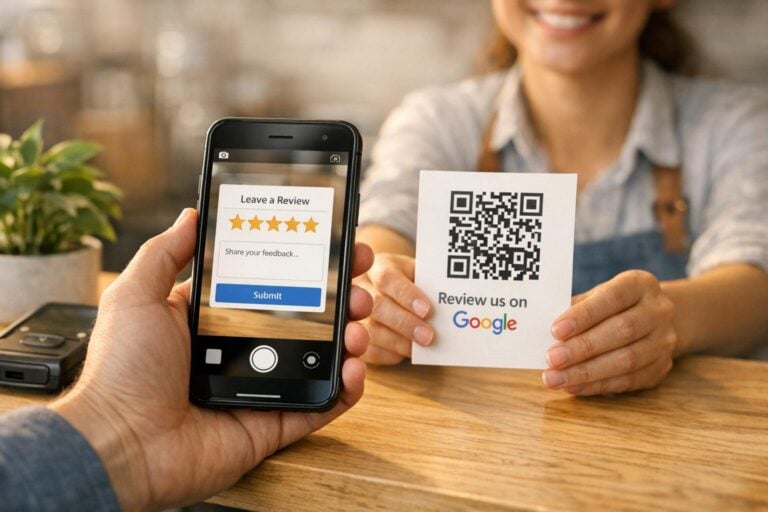
Google reviews are a powerful tool for small businesses. They don’t just help build trust; they also improve your local search rankings, making your business more visible to potential customers. Here’s what you need to know:
- Why Reviews Matter: Businesses with more reviews and higher ratings rank better in local search results. Each review signals credibility and engagement to both customers and Google.
- Challenges: Customers often don’t leave reviews unless asked, and complicated processes discourage them. Without a consistent system, requests for reviews can be forgotten.
- Solutions:
- Ask for reviews right after providing a service.
- Use direct links, QR codes, or follow-up emails to make the process simple.
- Train your staff to encourage reviews during customer interactions.
- Leverage Reviews: Showcase them on your website, social media, and Google Business Profile to attract more customers.
Start by claiming and verifying your Google Business Profile, then create a clear system to request and respond to reviews. The easier you make it for customers, the more likely they are to share their experiences.
Common Problems When Collecting Google Reviews
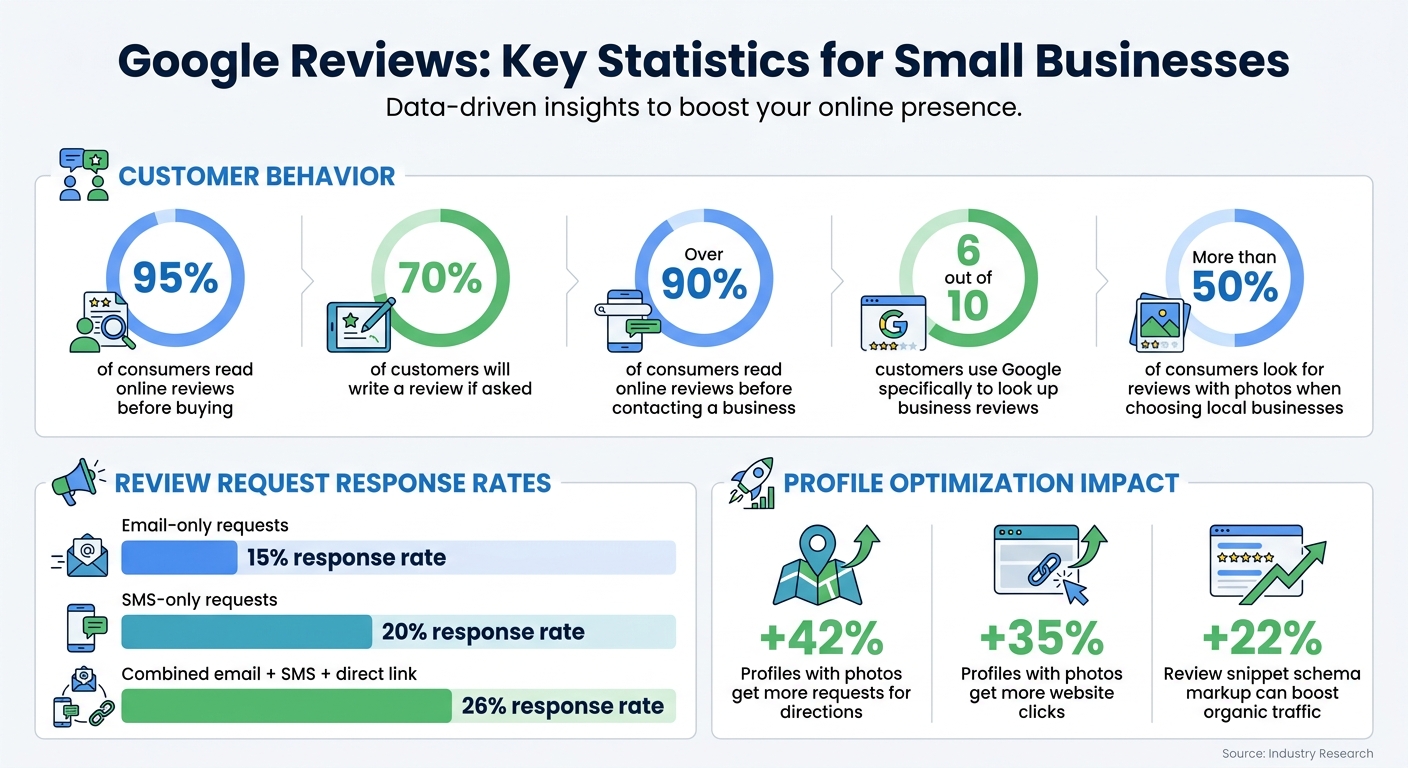
Google Reviews Statistics: Response Rates and Customer Behavior for Small Businesses
Even when you understand how important reviews are, getting customers to leave them can be surprisingly tricky. Many small businesses face similar hurdles that make it hard to gather consistent feedback.
Customers Don’t Leave Reviews
One of the biggest reasons customers don’t leave reviews is simple: they aren’t asked. While a whopping 95% of consumers read online reviews before buying something, most won’t take the initiative to leave one unless prompted. Here’s the good news – research reveals that 70% of customers will write a review if you ask them to.
Timing matters. Asking for reviews right after providing a service keeps the experience fresh in your customer’s mind. But there’s a catch: busy schedules and the hassle of signing into a Google Account can make the process feel like a chore. These challenges highlight why having a system for collecting reviews is so important.
No Consistent Process for Asking
For many small businesses, asking for reviews often depends on memory or spur-of-the-moment efforts. When you’re juggling multiple customers daily, it’s easy to forget to ask everyone. Without a clear and consistent approach, review requests can fall through the cracks – especially during busy times.
"The most common reason customers don’t leave reviews is that no one asked them." – ReviewScout AI
Another hurdle? Business owners often worry about coming across as pushy. This hesitation, coupled with a lack of staff training, means that review requests rarely become a seamless part of the customer experience. Plus, satisfied customers are less inclined to leave reviews than unhappy ones, which can lead to a skewed review profile over time.
Creating a straightforward, repeatable process can help tackle these issues.
The Review Process Is Too Complicated
Even when you have a consistent way of asking for reviews, an overly complicated process can turn people away. If customers have to hunt for the "Write a review" button, many will simply give up. Every extra step adds friction – and that friction leads to fewer completed reviews.
"The fewer steps involved, the higher your review completion rate." – LocalMighty
Here’s a telling stat: email-only review requests see about a 15% response rate, while SMS-only requests bump that up to 20%. Combine both methods and throw in a direct review link? The response rate jumps to 26%. Simplifying the process – whether through direct links, QR codes, or website buttons – makes it much easier for customers to follow through and leave a review.
sbb-itb-5b82b38
Setting Up Your Google Business Profile for Reviews
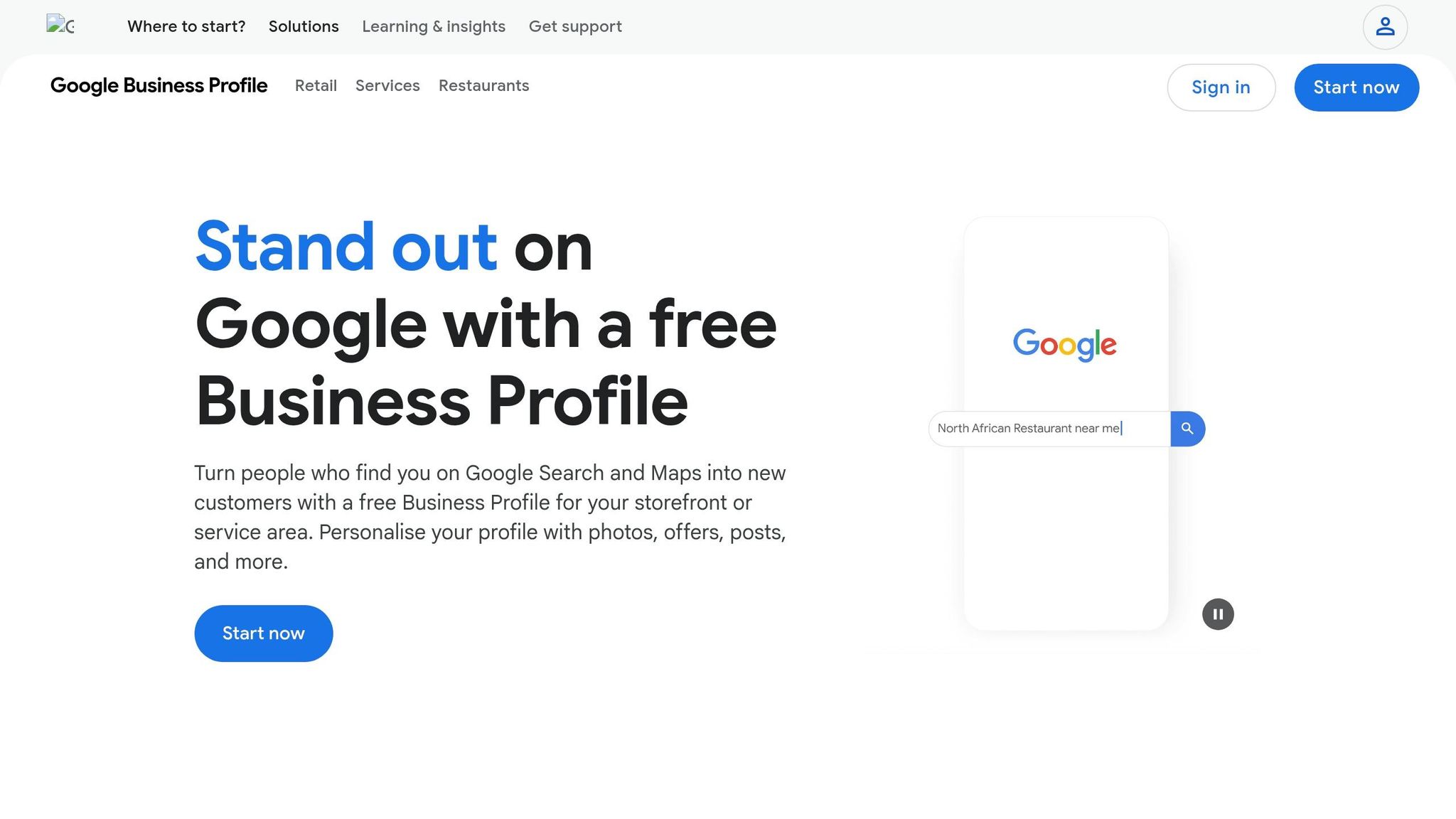
To start collecting reviews, you need a verified Google Business Profile. As you get started with your online presence, This free tool not only helps gather customer feedback but also boosts your visibility in local search results. A well-optimized and verified profile ensures you’re ready to maximize reviews. Once set up, make it easy for customers to leave feedback by creating a direct review link and adding engaging visuals.
Claim and Verify Your Profile
Begin by signing into your company’s Google Account. Search for your business on Google Maps or Google Search. If it appears but isn’t verified, click "Claim this business" or "Manage now." If your business isn’t listed, head to business.google.com/add to create a new listing.
Google offers several verification methods depending on your business. Options include receiving a code via phone, text, email, video verification, or even a live video call with a support representative. The postcard method is still widely used – postcards arrive within 14 days, but keep in mind that the code expires after 30 days. After completing the verification process, Google typically reviews and approves your information within five business days.
One important tip: avoid changing your business name, address, or category while waiting for the verification code. Doing so can invalidate your code and require you to start the process over.
Create a Direct Review Link
Once your profile is verified, simplify the process for customers by creating a direct review link. Go to your Business Profile, click "Read reviews", and select "Get more reviews." You’ll receive a shareable URL and a QR code that sends customers directly to the review form – no need for them to search for the "Write a review" button. Share this link in emails, text messages, on receipts, or through social media. Keep in mind that customers must log into a Google Account to leave a review.
Add Photos and Complete Your Business Information
A fully completed profile builds trust and drives more customer engagement. Add at least three exterior photos, three interior shots, and three images showcasing your products or services. Including photos of your team adds a personal touch. According to Google, profiles with photos see 42% more requests for directions and 35% more website clicks. Plus, Google’s algorithms use these images to better understand your business, which can improve your local search ranking.
"Getting Yogolandia on Google was absolutely key. It truly legitimizes you as a business. It’s free, there are photos, and we’ve gotten phenomenal reviews."
Stick to original images instead of stock photos, and update them regularly to keep your profile fresh and engaging. This not only helps attract more customers but also encourages them to keep interacting with your business.
Proven Methods for Getting More Google Reviews
Once your profile is verified, it’s time to focus on making it easy for customers to share their experiences. The best moment to ask for a review? Right after a purchase or service, when satisfaction is at its peak.
Here’s how you can streamline the process and encourage more reviews.
Use QR Codes and In-Store Signage
You can make leaving a review effortless by using QR codes. Download the QR code from your Business Profile and place it where customers naturally pause – on receipts, table tents, checkout counters, or even product packaging. When scanned, the code takes customers directly to your review form, cutting out any extra steps.
For even greater visibility, print the code on business cards, window decals, or promotional materials. This approach captures feedback while the experience is still fresh in their minds.
Keep in mind, customers need to be signed into a Google Account to leave a review, but they can create one with any email address. And remember: never offer incentives like discounts or free items in exchange for reviews, as Google strictly prohibits this practice.
Send Follow-Up Emails or Text Messages
A timely follow-up can work wonders. Reach out to customers within 24 hours of their visit with a direct link to your review page. Statistics show that email requests often yield a 15% response rate, while text messages perform even better at 20%. Combining both methods can increase your response rate to 26%.
Keep your message short, friendly, and personal. Mention the specific service they received and include the direct review link to make the process easy.
Train Your Team to Request Reviews
Your team interacts with customers daily, making them invaluable for collecting reviews. Equip them with simple, pre-written scripts tailored to various scenarios. For instance, during checkout, they could say:
"I’m glad we could help today! If you have a moment, a Google review helps others know what to expect."
Here are some examples of how your team can approach different situations:
| Scenario | Sample Script/Action |
|---|---|
| In-Person Checkout | "I’m glad we could help today! If you have a moment, a Google review helps others know what to expect." |
| Phone Follow-up | "I’m checking in to see how your service went. Would you mind sharing your experience on Google?" |
| Handling ‘No Time’ | "Totally understand – it only takes 30 seconds. Here’s a link if you’d like to do it later." |
| Photo Opportunity | "That looks amazing! Would you like me to grab a photo for you? You can drop it in a review if you’d like." |
Encourage your staff to spot photo moments – like a fresh haircut, beautifully plated food, or a completed home project. More than 50% of consumers look for reviews with photos when choosing local businesses. To make this easier, create well-lit, visually appealing areas in your store where customers can snap pictures.
"The goal isn’t to push reviews – it’s to help customers capture something they’ll actually want to share."
– Backlinko
Finally, ensure any customer concerns are resolved before requesting a review. A quick resolution often turns a dissatisfied customer into an enthusiastic reviewer. To keep your team motivated, consider running internal contests or recognition programs that celebrate their efforts in maintaining your business’s reputation.
Using Reviews on Your Website and in Marketing
Reviews carry weight when they’re showcased effectively on your website and across your marketing platforms. Did you know that over 90% of consumers read online reviews before reaching out to a business? Even more, 6 out of 10 customers specifically turn to Google to look up business reviews. This means your reviews need to be front and center wherever potential customers are searching. Once you’ve streamlined how you collect reviews, the next step is using them strategically across your digital channels to build trust and credibility.
For the full step-by-step, see our contractor website design guide.
Display Google Reviews on Your Website
Adding Google reviews directly to your website can immediately boost visitor confidence. A great way to do this is by embedding a live Google review widget, which automatically updates with fresh testimonials.
Think about where reviews will make the most impact. Place them in high-visibility areas like your homepage hero section, service pages, or near pricing tables and call-to-action buttons. For instance, a responsive carousel on your homepage can save space while still showcasing glowing feedback. You could also dedicate an entire page to testimonials, using a grid layout for a clean, organized look.
"Adding authentic feedback from real customers directly to your website is no longer optional – it’s a core strategy for building trust, strengthening local SEO, and increasing conversions." – Chris Patterson, Local SEO Specialist
To maximize the benefits, ensure your widget supports review snippet structured data (schema markup). This allows star ratings to appear directly in search engine results, which can boost organic traffic by 22%. You can also include interactive elements like prompts saying, “Read why customers rate us 4.9★” or “Leave your review in seconds,” which encourage further engagement. To keep your site fast, use lazy loading for widgets, and pair reviews with relevant product images to enhance credibility.
Share Reviews on Social Media and Ads
Your website isn’t the only place for reviews – they can shine on social media too. Share positive Google reviews on platforms like Instagram, Facebook, and LinkedIn to connect with customers where they’re most active. Including user-generated photos from reviews in your posts can make them feel more relatable and authentic than polished, professional images.
Don’t forget about Google Posts, which allow you to share updates, events, and offers directly in your Google search panel. Posting reviews here adds a social element to your search presence and keeps your Knowledge Panel dynamic. Keep in mind that standard Google Posts disappear from the panel after seven days, so make it a habit to update them regularly.
When sharing reviews, always respond to feedback – whether it’s positive or negative. Publicly acknowledging reviews shows that your business is engaged and values customer opinions. This simple gesture can go a long way in building trust and loyalty.
Wrapping It Up
Key Takeaways for Building Reviews
Creating a steady flow of Google reviews doesn’t require complex strategies – just consistent effort and smart timing. Start by claiming and verifying your Google Business Profile, which sets the foundation. From there, make it easy for customers to leave reviews by sharing direct links or using QR codes.
Timing is everything. Encourage your team to ask for reviews right after a positive interaction or completed transaction. Follow up with automated emails or text messages that include direct links to your review page, ensuring the process is quick and hassle-free. Each review not only enhances your credibility but also boosts your visibility in local search results.
Don’t stop at collecting reviews – responding to them is equally important. Engaging with both positive and negative feedback shows authenticity and builds trust. Address reviewers by name, acknowledge their comments, and maintain a professional yet conversational tone. This kind of engagement signals to potential customers that you value their input and are committed to improving their experience.
Take Action Now
The best time to start gathering reviews is today. Pick one or two strategies that align with your current workflow, whether it’s placing a QR code at checkout or automating follow-up emails after purchases.
FAQs
What’s the best time to ask for a Google review?
The best time to ask for a Google review is within 1 to 24 hours after delivering a service or completing an experience. This window is when customers’ positive feelings are at their strongest. While the exact timing can differ based on your industry, reaching out quickly ensures you tap into their peak satisfaction.
How do I create a direct Google review link or QR code?
If you want to make it easy for customers to leave a review, follow these steps:
- Log into your Google Business Profile: Access your account and head to the reviews section.
- Copy your review link: Google provides a direct link that customers can use to leave feedback.
- Turn it into a QR code: Use any QR code generator to transform the link into a scannable QR code image.
Now, you can share this link or QR code in multiple ways. Send it through email or SMS for convenience, or print the QR code on receipts, flyers, or business cards. This makes leaving reviews quick and effortless for your customers.
How should I respond to negative Google reviews?
Responding to feedback quickly and professionally shows you care about your customers’ opinions. When addressing concerns, acknowledge them with understanding and avoid sounding defensive. Instead, focus on offering solutions or suggesting ways to resolve the issue privately. If a review violates Google’s policies, you can flag it for removal.
Engaging with every review, including critical ones, is an opportunity to safeguard your reputation and potentially turn unhappy customers into loyal advocates.